

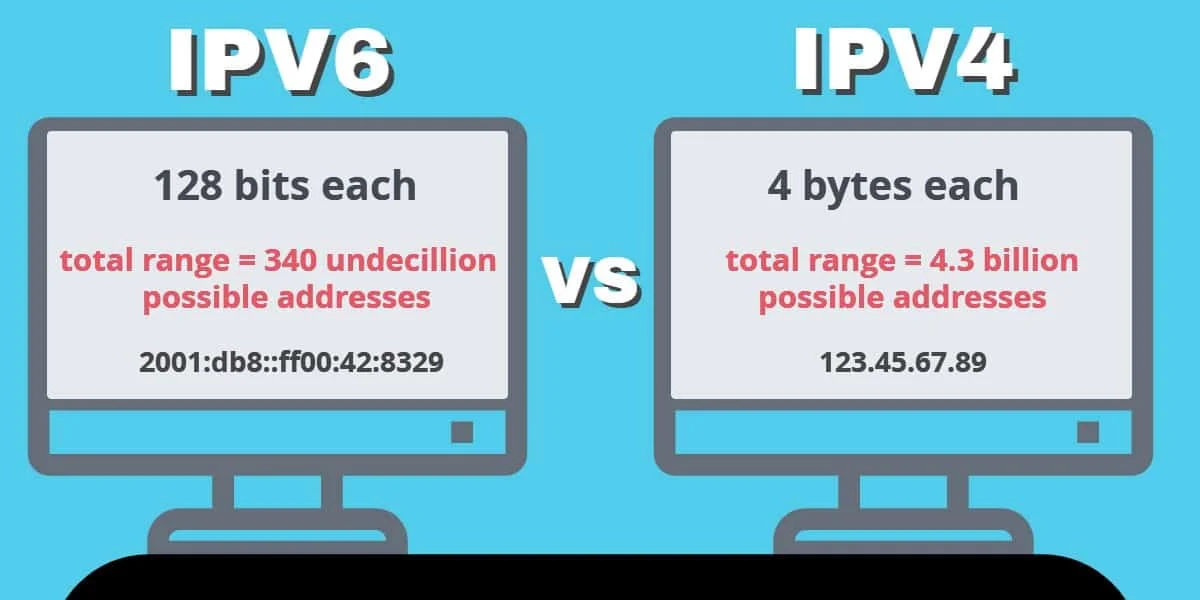
IPv4 Addresses
An IPv4 address looks like this
123.456.78.90
There can be slight variations, but in general, the address will consist of one or more sections of one to three digits, separated by periods.
Write the Regular Expression
Create a Regex string that matches a valid IP address for IPv4. The clearest way to do this is the following:
"[0-9]{1,3}\.[0-9]{1,3}\.[0-9]{1,3}\.[0-9]{1,3}"
Let's break down the parts of this expression.
[0-9]
This indicates that we're looking for any one of the characters inside the brackets. In this case, we're looking for a digit or numeric character between 0 and 9
{1,3}
The numbers between the curly braces indicate that we're looking for as few as one or as many as three instances of the previous character. In this case, we're looking for as few as one or as many as three digits.
\.
In Regex, the "." character is a special character that means "any character." In order to find the actual "." character, we have to escape it with a backslash. This indicates that we are looking for a literal "." character.
Those three components make up one byte of an IP address (for example, "192.") To match a complete valid IP address, we repeat this string four times (omitting the final period.)
Use the Regular Expression
Import the Python re module. Use the match() method from the module to check if a given string is a match for our Regex.
Using match()
The match() method takes two arguments: a Regex string and a string to be matched.
import re
match = re.match(r"[0-9]{1,3}\.[0-9]{1,3}\.[0-9]{1,3}\.[0-9]{1,3}", "127.0.0.1")
print(match)
>>> <re.match object; span="(0," 9), match="127.0.0.1">

</re.match>
If the string is a match, re will create a Match object with information about the match. If we are simply trying to determine that a match was found, we can cast the result to a boolean.
print(bool(match))
>>> True
Using search()
The search() method also takes two arguments: a Regex string and a string to be searched.
import re
found = re.search(r"[0-9]{1,3}\.[0-9]{1,3}\.[0-9]{1,3}\.[0-9]{1,3}", "127.0.0.1")
print(match)
>>> True
The difference between search and match is that search will return a boolean value if a match is found in the string.
Check for Numerical Limits
No IP address can contain a string of three numbers greater than 255. What if the user inputs a string that includes a 3-digit sequence greater than 255? Right now, our Regex matcher would return True even though that is an invalid IP address.
We need to perform a final check on our string to make sure that all of the digit groups in it are numerical values between 0 and 255.
The easiest way to do this is to iterate over the string and check each three-digit numerical grouping. If the sequence of digits is greater than 255 or less than 0, return False.
  bytes = ip_address.split(".")

   for ip_byte in bytes:
       if int(ip_byte) < 0 or int(ip_byte) > 255:
           print(f"The IP address {ip_address} is not valid")
           return False
Put It Together
Here's an example of a complete Regex validation function in Python using re.search() and our custom iterator.
def validate_ip_regex(ip_address):

   if not re.search(r"[0-9]{1,3}\.[0-9]{1,3}\.[0-9]{1,3}\.[0-9]{1,3}", "127.0.0.1", ip_address):
       print(f"The IP address {ip_address} is not valid")
       return False

   bytes = ip_address.split(".")

   for ip_byte in bytes:
       if int(ip_byte) < 0 or int(ip_byte) > 255:
           print(f"The IP address {ip_address} is not valid")
           return False
   print(f"The IP address {ip_address} is valid")
   return True
Additional Method
Validate an IP Address Using a Third-Party API
The API allows you to send an IP string for validation, or, if you send an empty request, it will return information about the IP address of the device from which the request was made. This is handy if you also need to know what the IP address of the device is.
Get Started With the API
Acquire an API Key
Go to the API documentation page. You'll see an example of the API's JSON response object to the right, and a blue "Get Started" button to the left.
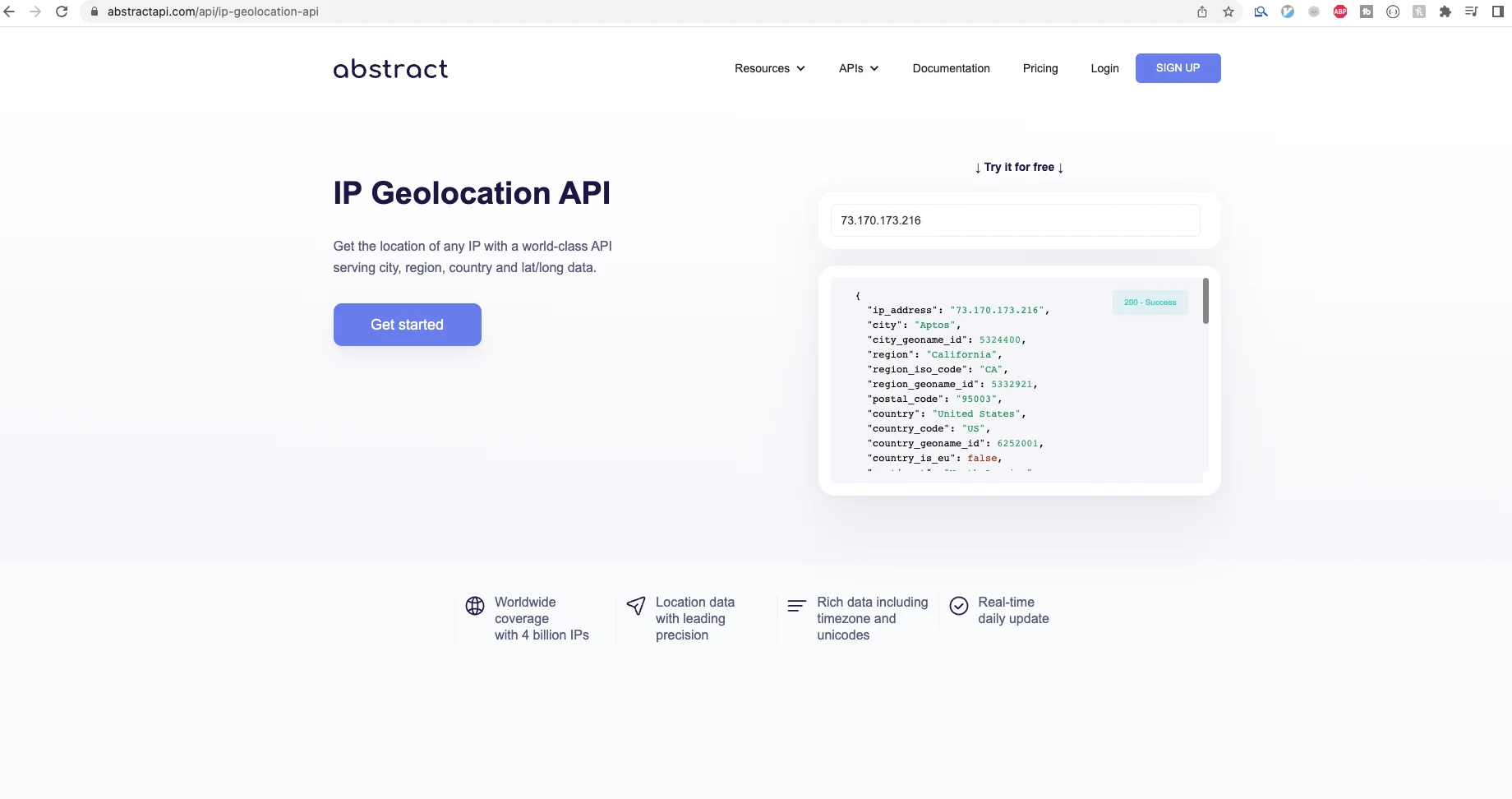
Click "Get Started." If you've never used AbstractAPI before, You'll need to create a free account with your email and a password. If you have used the API before, you may need to log in.
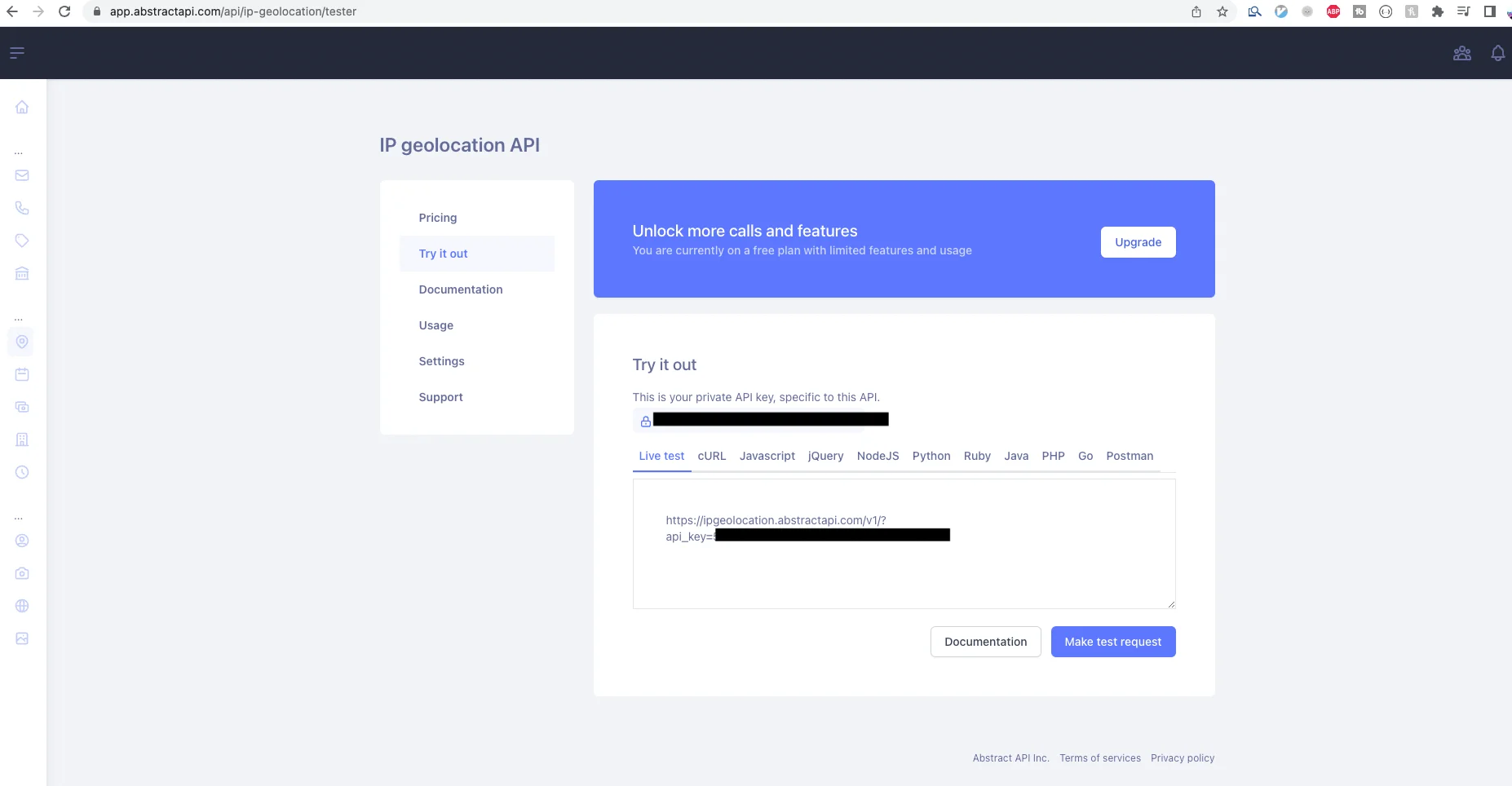
Once you've signed up or logged in, you'll land on the API's homepage where you should see options for documentation, pricing, and support, along with your API key and tabs to view test code for supported languages.
Make an API Request With Python
Your API key is all you need to get information for an IP address. Let's use the Python requests module to send a request to the API.
import requests
def get_geolocation_info():
   try:
       response = requests.get(
      "https://ipgeolocation.abstractapi.com/v1/?api_key=YOUR_API_KEY")
       print(response.content)
   except requests.exceptions.RequestException as api_error:
       print(f"There was an error contacting the Geolocation API: {api_error}")
       raise SystemExit(api_error)
When the JSON response comes back, we print it to the console, but in a real app you would use the information in your app. If the IP address is invalid, the API will return an error. Use the error information as your validator.
The JSON response that AbstractAPI sends back looks something like this:
{
    "ip_address": "XXX.XX.XXX.X",
    "city": "City Name",
    "city_geoname_id": ID_NUMBER,
    "region": "Region",
    "region_iso_code": "JAL",
    "region_geoname_id": GEONAME_ID,
    "postal_code": "postalcode",
    "country": "Country",
    "country_code": "CC",
    "country_geoname_id": GEONAME_ID,
    "country_is_eu": false,
    "continent": "North America",
    "continent_code": "NA",
    "continent_geoname_id": GEONAME_ID,
    "longitude": longitude,
    "latitude": latitude,
    "security": {
        "is_vpn": false
    },
    "timezone": {
        "name": "America/Timezone",
        "abbreviation": "ABBR",
        "gmt_offset": -5,
        "current_time": "15:52:08",
        "is_dst": true
    },
    "flag": {
        "emoji": "🇺🇸",
        "unicode": "U+1F1F2 U+1F1FD",
        "png": "https://static.abstractapi.com/country-flags/US_flag.png",
        "svg": "https://static.abstractapi.com/country-flags/US_flag.svg"
    },
    "currency": {
        "currency_name": "Dollar",
        "currency_code": "USD"
    },
    "connection": {
        "autonomous_system_number": NUMBER,
        "autonomous_system_organization": "System Org.",
        "connection_type": "Cellular",
        "isp_name": "Isp",
        "organization_name": "Org."
    }
}
Note: identifying information has been redacted.
Frequently Asked Questions
What does it mean to validate an IP address with regex in Python?
Validating an IP address with regex means checking that a string matches the expected format of four numeric groups separated by periods. Python's built-in re module lets you apply a pattern like [0-9]{1,3}\.[0-9]{1,3}\.[0-9]{1,3}\.[0-9]{1,3} to test whether a string looks like an IPv4 address. This confirms the structure, but does not on its own verify that each octet falls within the valid 0 to 255 range.
Why does my Python regex accept addresses like 999.999.999.999?
A simple pattern like [0-9]{1,3}\.[0-9]{1,3}\.[0-9]{1,3}\.[0-9]{1,3} matches any one-to-three digit group, so it cannot distinguish between 255 and 999. You need a second validation step: split the address on periods, convert each part to an integer, and check that it falls between 0 and 255. Regex handles format; range checking handles valid values.
What is the difference between re.match() and re.search() for IP validation in Python?
re.match() only looks for a match at the very beginning of the string, while re.search() scans the entire string and returns the first match it finds anywhere. For strict IP validation you should use re.match() combined with anchors, or add ^ and $ anchors to your pattern, to prevent a string like "prefix 192.168.1.1 suffix" from being accepted as valid.
Should I use regex to validate IPv6 addresses in Python?
No. It is not advisable to validate IPv6 with regex because the format is far more complex, with support for abbreviations like :: and mixed IPv4/IPv6 notation. Instead, write a separate function for IPv6 validation or use Python's standard library ipaddress module, which handles both IPv4 and IPv6 correctly without requiring a custom regex pattern.
How do I combine regex and range checking in a single Python function?
First use re.match() to confirm the string matches the four-group dotted format. If the pattern matches, split the string on . to get the four octets, then loop over them and return False if any octet converted to an integer is less than 0 or greater than 255. This two-step approach gives you both structural and numerical validation in one reusable function.
When should I use an IP geolocation API instead of just regex validation?
Regex confirms that a string is formatted like a valid IP address, but it tells you nothing about what that address actually represents. If you need to know a user's country, city, timezone, or whether an address is a proxy or VPN, you need an IP geolocation API like Abstract's IP Geolocation service. Use regex for quick input sanitization, and an API when you need real-world location or threat data tied to the address.
