
Currency Conversion in PHP with the Exchange Rate API
.avif)
A currency API calculates and converts the value of one currency into other currencies. For example, if you lived in the US and were traveling to another country, you would need to know the per dollar exchange rate for the currency of the country you were visiting. You would need to know the US Dollar to Euro conversion if you were traveling to certain parts of Europe, or the US Dollar to Pound conversion if you were traveling in the United Kingdom.
In this article, we are going to build a simple currency listing API that is based on PHP, using AbstractAPI's Currency Exchange Rate and Forex API.
What is the Currency Exchange Rate and Forex API?
The Currency Exchange Rate and Forex API (also known as Exchange Rates API) by Abstract makes it easy to get the latest and trusted data for over 150 countries' currencies and over 10,000 possible currency pairs. It is backed by the latest and most reliable data from across the world providing highly accurate exchange rate data, all thanks to Abstract's relationship with multiple trusted data providers.
How to use the API?
To get started with this API, you need to create an account with Abstract.
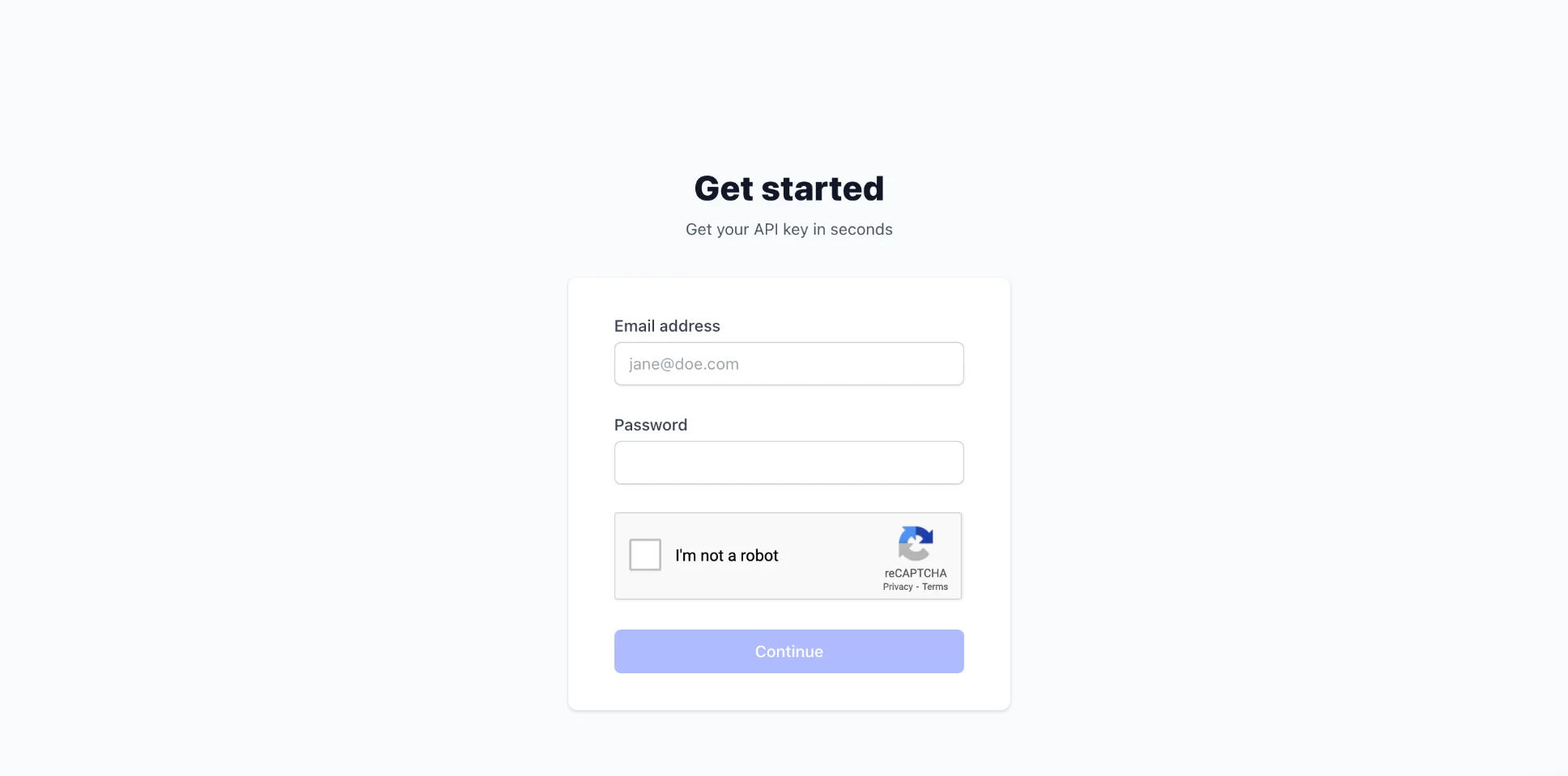
Upon successful registration, you need to log in and access your dashboard. To access the API, look out for Exchange rates under the Lookup category in the dashboard.
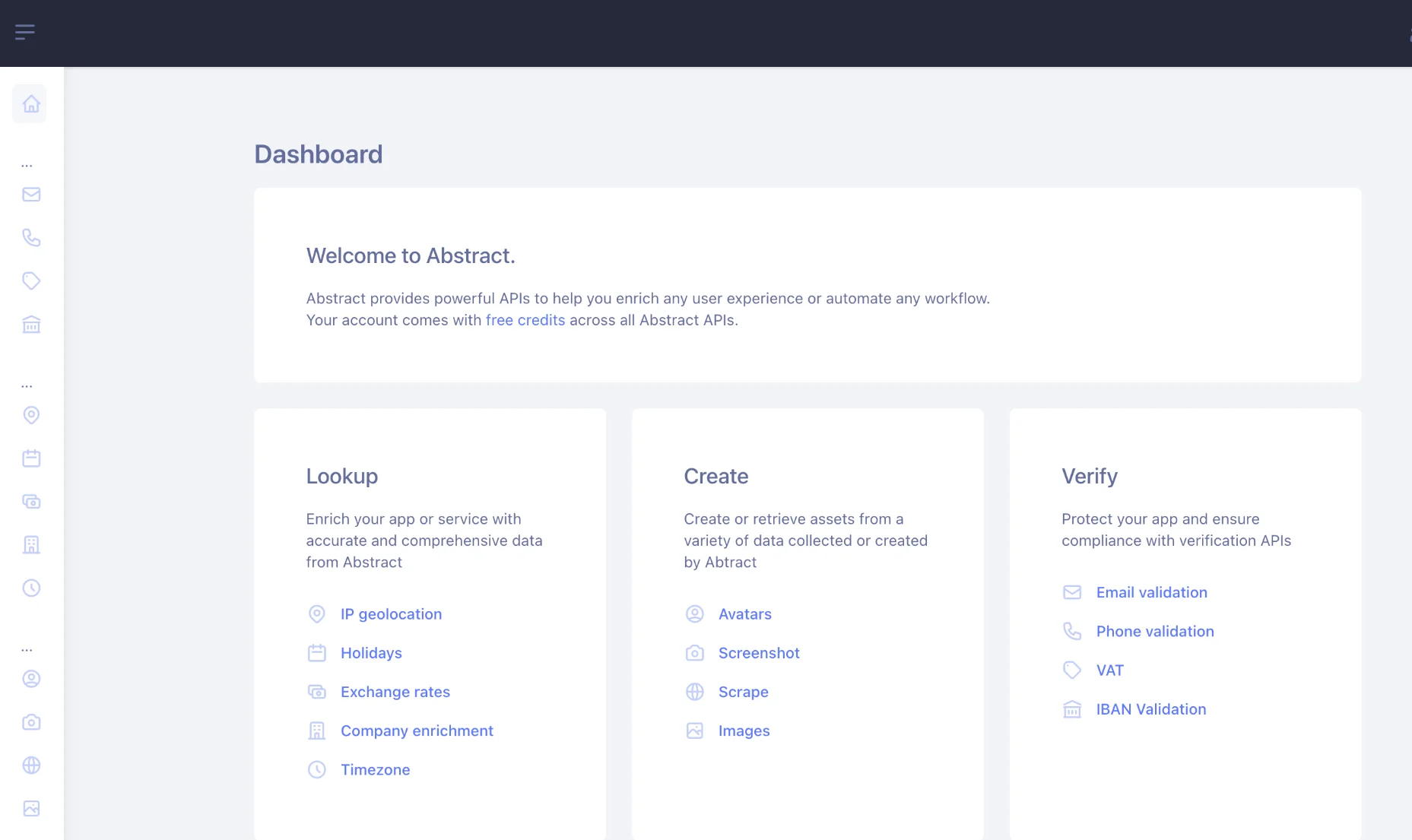
After clicking the Exchange rates option, you will get another screen where you will see your API key and some very useful sample codes on how to use the Exchange rate API. Let's make a quick API call using Postman to get the live exchange rate of USD against over 150 countries' currencies.
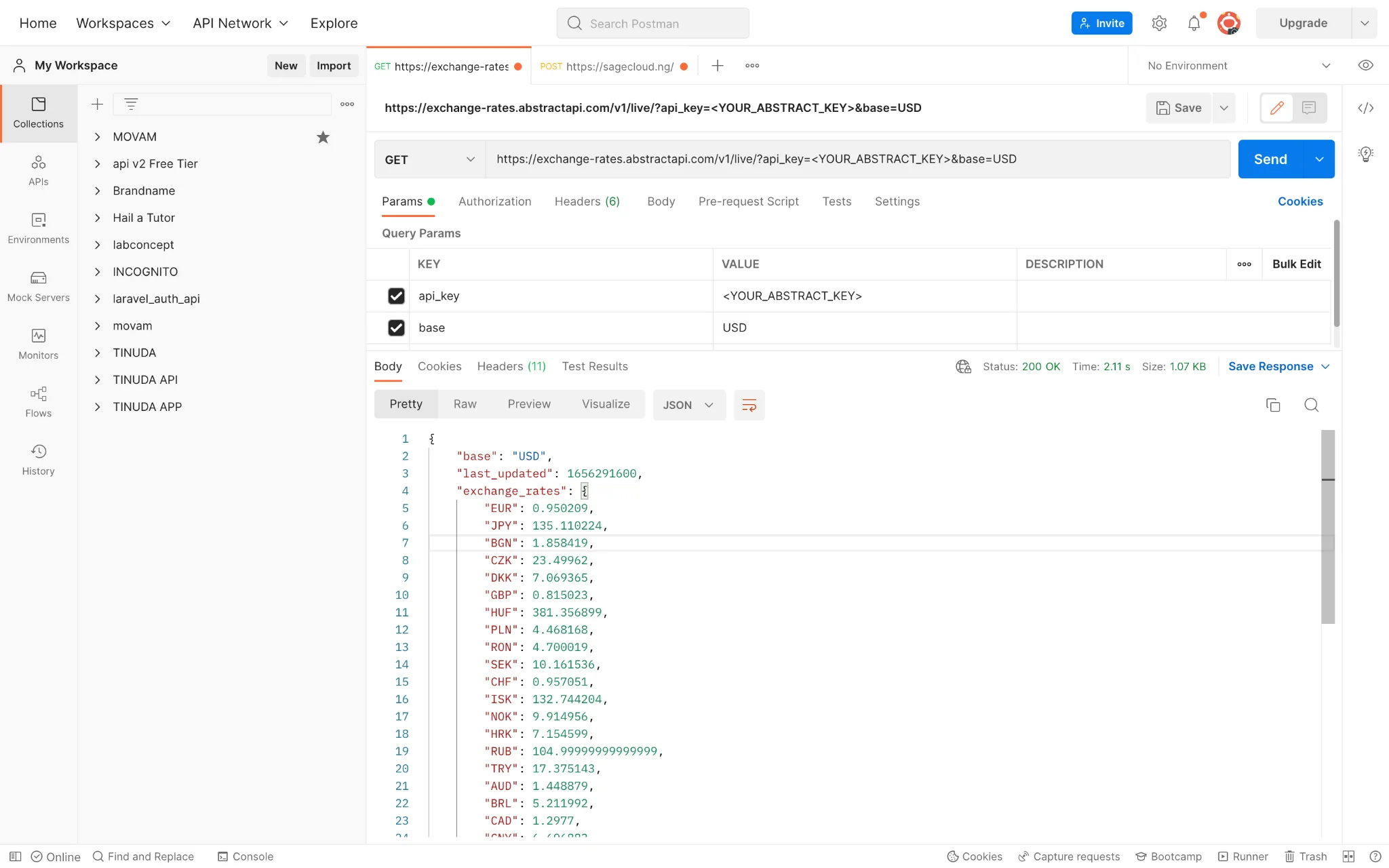
To ensure a proper response from the API, make sure to replace the query parameter 'api_key' with the Abstract Key provided to you after signup.
Using Abstract Currency Exchange and Forex API with PHP
Let's put the Currency Exchange and Forex API to some good use by creating a simple demo API in PHP.
To set up the PHP development and runtime environment, you can install XAMPP. Download and install the XAMPP package according to your operating system. Once the installation is finished, browse the installation path for Xampp and access the 'htdocs' subdirectory. This is the root directory containing the PHP code.
Create another subdirectory within 'htdocs', named 'api', and then create an empty file 'live.php' inside it. This will be the path for accessing the demo API for live currency rates.
The PHP Code for Getting Currency Rates
Open the file 'live.php' inside your favorite code editor and copy the following code.
<?php

/**
* This file is used to get the latest and live exchange rates of currencies.
*/

header('Content-type: application/json');

// Get post request data and convert the value to an //associative array

$request = json_decode(file_get_contents('php://input'), true);

// for the live api the only constant value is base currency, so let's ensure you passed that at least

if(!isset($request['base'])) {
   echo json_encode(array('status' => false, 'message' => 'Invalid request'));
   exit;
}

//lets add our API key to the request
$request['api_key'] = '<your_abstract_key>';

$url = "https://exchange-rates.abstractapi.com/v1/live/";
$final = $url . "?" . http_build_query($request);

//open connection
$curl = curl_init();
curl_setopt_array($curl, array(
   CURLOPT_URL => $final,
   CURLOPT_RETURNTRANSFER => true,
   CURLOPT_ENCODING => '',
   CURLOPT_MAXREDIRS => 10,
   CURLOPT_TIMEOUT => 0,
   CURLOPT_FOLLOWLOCATION => true,
   CURLOPT_HTTP_VERSION => CURL_HTTP_VERSION_1_1,
   CURLOPT_CUSTOMREQUEST => 'GET',
   CURLOPT_HTTPHEADER => array(
   	'Content-Type: application/json',
   	'Accept: application/json'
   ),
));

//Make the API call
$response = curl_exec($curl);

curl_close($curl);

echo $response;

exit;
?>
</your_abstract_key>
Save the file and ensure that the placeholder "<Your_Abstract_key>" is replaced by your actual API key.
This demo API just acts as a PHP interface for the Currency Exchange and Forex API. It forwards the request from the API consumer to the Currency Exchange and Forex API and relays the response of Currency Exchange and Forex API back to the consumer. Internally it relies on the PHP curl library to invoke the Currency Exchange and Forex API.
To test the demo API, you need to run it within a web server. Run the default php server using the command 'php -S localhost:8000'. Then you should be able to access this API via the URL 'http://localhost:8000/api/live.php'.
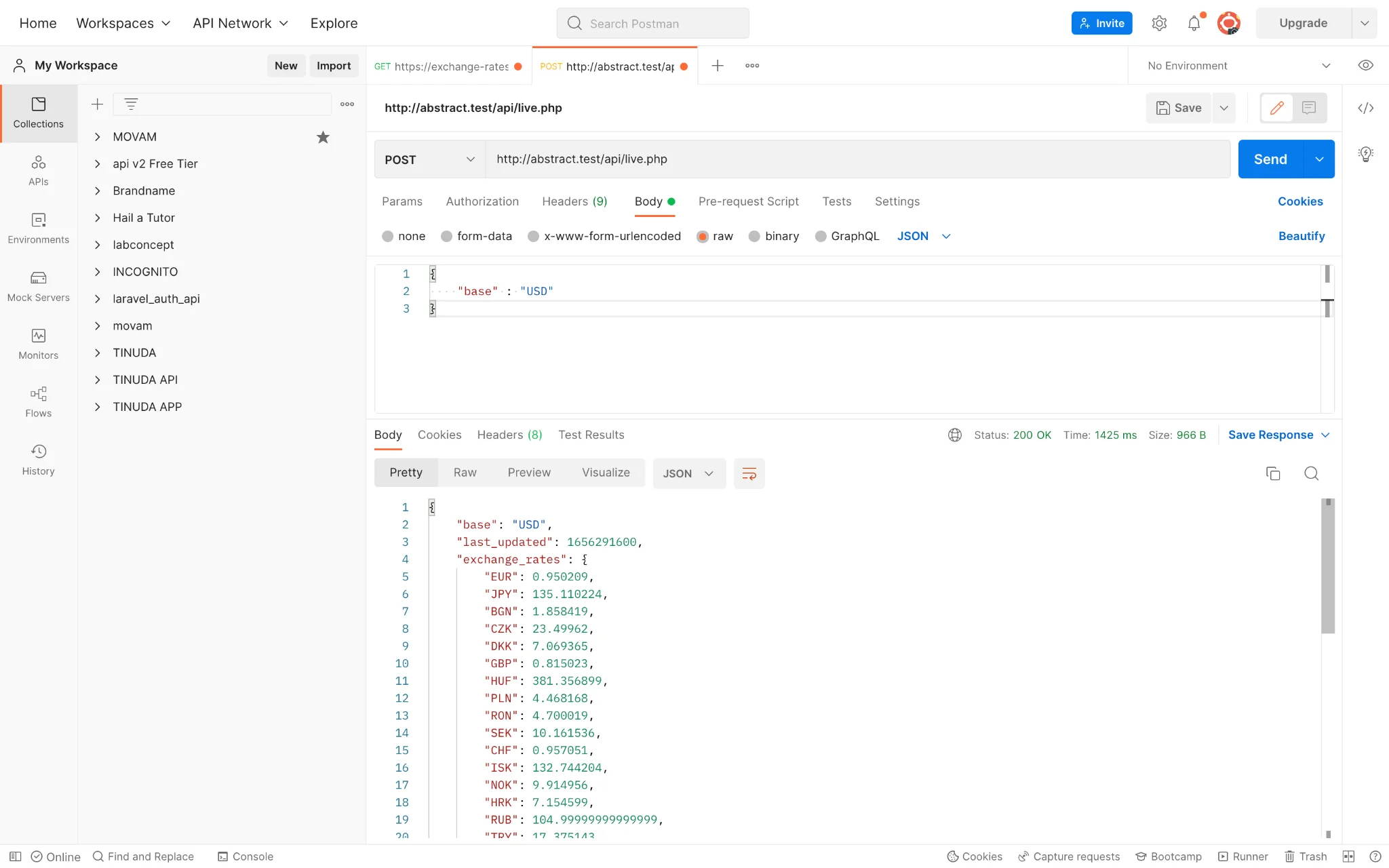
This is the same API response that you got earlier for the Currency Exchange and Forex API. The only difference is that this time it is returned via the demo API written in PHP.
Use Cases for Abstract Currency Exchange and Forex API
E-Commerce websites
This API is handy for E-Commerce websites serving visitors from other countries, regardless of the platform it is running on (e.g., SAP spartacus).. With the help of this API, websites can present currency conversion rates to display prices in the visitors' local currency.
Forex Trading
This API can help international import and export businesses by helping them determine the selling and buying prices to book profits from different products and commodities. Currency conversion is also useful for forex traders, offering the ability to track changes in exchange rate valuations in real-time. even when not at the trading desk.
Cryptocurrency Conversion
The Currency Exchange and Forex API also facilitate conversion between fiat and cryptocurrencies, thus giving a boost to the crypto economy.
FAQ
What is currency conversion?
Currency conversion allows the price measure of one currency to be converted to another currency. Currency conversion is an important procedure in cross-border money exchange, forex trading as well as online transactions. Nowadays, even conversion to and from cryptocurrency is a frequent currency conversion operation performed on several online platforms that accept cryptocurrencies such as Bitcoin and Ethereum.
What Is the Best Way to perform Currency Conversion?
The best way to convert Currency conversion is by using the Abstract's Exchange Rate and Currency Converter API, which gives you the exchange value of over 150 currencies with over 10,000 currency pairs. This API is a reliable source of data from trusted partners to provide the most accurate currency exchange rates.
How Do You Perform Currency Conversion using PHP?
You can perform currency conversion using PHP by making a request to Abstract's Exchange Rate and Currency Converter API with the help of the PHP curl library.
Frequently Asked Questions
What is PHP currency conversion and why do developers need it?
PHP currency conversion lets your application convert monetary values between currencies using live exchange rates. Developers need it for e-commerce localization, forex tools, and cryptocurrency platforms where hardcoding rates would quickly become inaccurate.
How do you convert currency in PHP using an API?
You make an HTTP request to a currency exchange API (such as Abstract's Exchange Rates API) using PHP's cURL library. You pass the base currency, target currency, and amount as query parameters, then parse the JSON response to get the converted value.
Why use cURL for currency exchange rate requests in PHP?
cURL is PHP's standard library for making outbound HTTP requests, and most currency APIs accept GET or POST requests over HTTPS. Functions like curl_init(), curl_setopt_array(), and curl_exec() give you full control over headers, timeouts, and request bodies when calling an exchange rate endpoint.
How many currencies does the Abstract Exchange Rates API support?
Abstract's Exchange Rates API covers more than 10,000 currency pairs across 150+ countries. This includes fiat currencies, making it suitable for both everyday e-commerce and more specialized forex use cases without any additional configuration.
How can you test a PHP currency conversion API locally before deploying?
You can run a local PHP server with php -S localhost:8000 or use a tool like XAMPP to host the script. Postman is useful for sending test POST requests to your local endpoint and inspecting the JSON responses before connecting a front end or going live.
What are common gotchas when building a PHP currency converter?
The most common issues are forgetting to pass the API key as a query parameter, not setting a cURL timeout (which can cause requests to hang), and mishandling the JSON payload from the request body: use file_get_contents('php://input') combined with json_decode() to read POST data reliably.
Shyam Purkayastha is a proficient web developer and PHP maestro, renowned for his expertise in API creation and integration. His deep knowledge of PHP scripting and backend development enables him to build scalable server-side applications. Shyam is particularly passionate about RESTful API design, significantly enhancing web service functionality and data interoperability.

