


Why "Good Enough" Email Data Isn't Good Enough
Most outreach platforms advertise built-in email validation.
But those internal cleaners usually rely on cached datasets or lightweight checks to reduce infrastructure costs. That means they may mark emails as valid even when the mailbox is already inactive or unreachable.
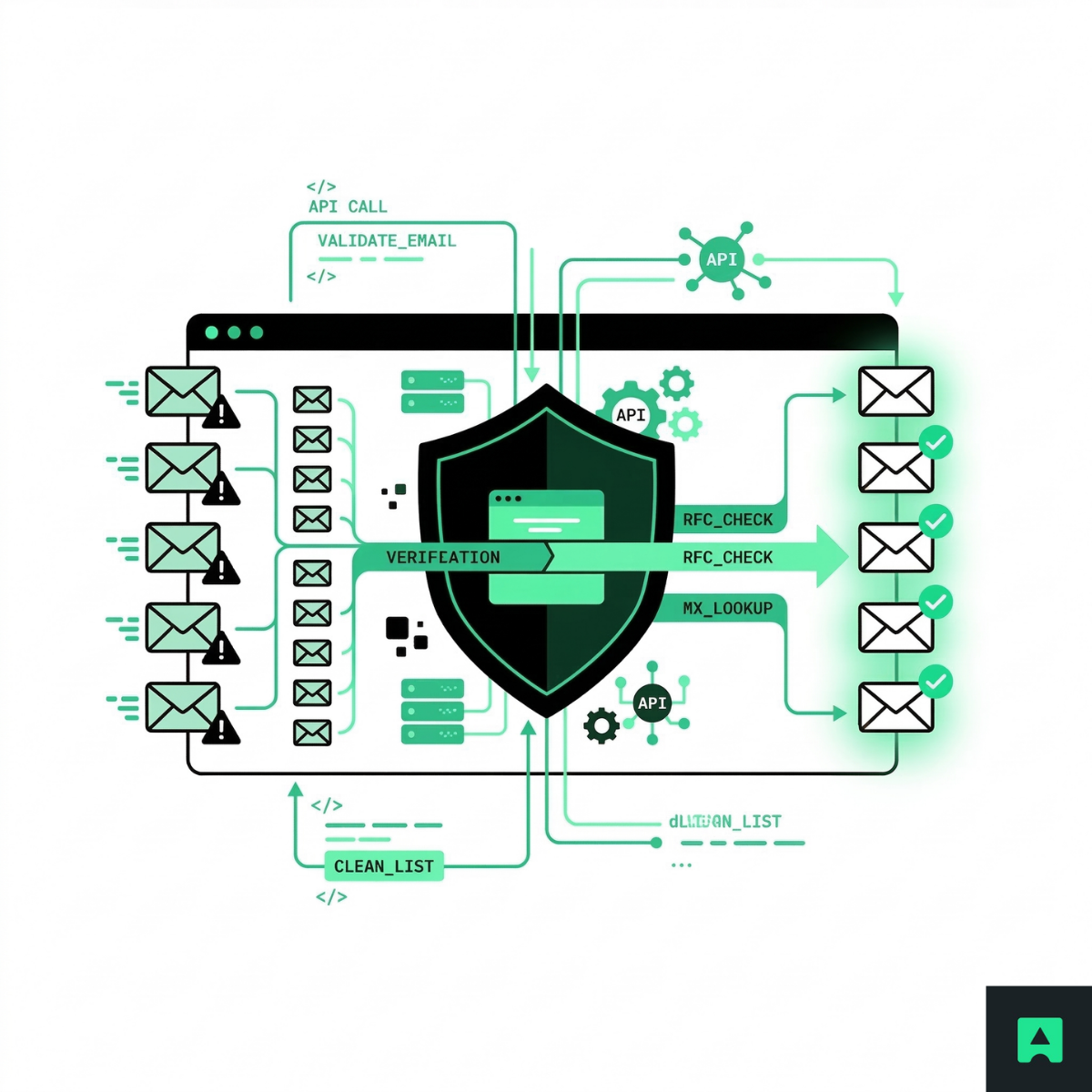
A dedicated email verification API performs deeper, real-time checks, including:
- DNS lookups for MX records to confirm the domain can receive email
- SMTP handshake verification to determine whether the mailbox appears deliverable
- Detection of disposable email providers
- Identification of catch-all domains
These real-time checks dramatically improve list accuracy before sending.
The 2% Bounce Rule
In cold outreach, bounce rate is not just a metric — it's a reputation signal.
Typical deliverability thresholds look like this:
| Bounce Rate | Risk Level |
|---|---|
| < 2% |
Healthy sending reputation
|
| 2–3% |
Warning zone
|
| > 3% |
Red zone (domain throttling risk)
|
Once your bounce rate climbs above 3%, mailbox providers may begin:
- Throttling your emails
- Sending campaigns directly to spam
- Flagging or blocking your domain
For teams trying to reduce bounce rate instantly, the most effective strategy is simple: clean your email list for cold outreach before sending any campaign.
The Burned Domain Math
Consider the cost comparison.
If your domain reputation gets damaged, recovery often requires:
- Purchasing multiple new domains
- Setting up SPF, DKIM, and DMARC
- Warming domains for 2–3 weeks
- Rebuilding deliverability reputation
That process can easily cost hundreds of dollars and weeks of lost outreach time.
Compare that with $50 in email verification API credits.
Pre-cleaning your lists is not just a technical precaution.
It's insurance for your entire outbound infrastructure.
How to Clean an Email List for Cold Outreach and Reduce Bounce Rate Instantly
Below is the pre-cleaning workflow used by many SDR teams and lead generation agencies before uploading contacts into Instantly or Woodpecker.
Think of this process like a war-room checklist before launching a campaign.
Step 1: The Initial Scrub
Start by exporting leads from your source.
Common sources include:
- Apollo
- Lusha
- LinkedIn scraping tools
- CRM exports
- Data enrichment platforms
Before verification, perform basic list hygiene:
- Remove duplicate email addresses
- Standardize column headers
- Delete obviously malformed emails
- Ensure one email per row
Your dataset should ideally contain:
- Email address
- Company name
- First and last name (optional)
Now the list is ready for verification.
Step 2: The Abstract Filter
Next, run the list through Abstract's Email Verification API.
This step performs MX record lookups and SMTP handshake validation to determine whether the mailbox appears deliverable.
You can implement this step in two main ways.
Option A: No-Code Automation
Non-technical teams can automate verification using tools like:
- Zapier
- Make (Integromat)
Typical workflow:
- Upload your CSV
- Send each email to the Abstract email verification endpoint
- Store the response fields
- Automatically filter valid results
This approach is ideal for growth teams, SDRs, and lead generation agencies.
Option B: Python Script
Developers often automate the process with a simple script.
Example workflow:
- Load your CSV file
- Send each email to the verification API
- Store the JSON response
- Filter valid emails automatically
Example endpoint request:
https://emailvalidation.abstractapi.com/v1/?api_key=YOUR_KEY&email=example@email.com
The API returns multiple deliverability indicators that help determine whether the email should be used in cold outreach.
Step 3: Data Mapping and Filtering
Now filter the verification results.
Three fields are particularly important when you verify scraped emails.
is_smtp_valid = TRUE
This is the Golden Ticket. It means the SMTP handshake indicates the mailbox is likely deliverable.
- These emails are safe to send.
is_catchall = TRUE
This means the domain accepts all incoming mail, even if the specific mailbox doesn't exist. Verification becomes uncertain.
- These addresses should be handled carefully.
is_disposable = TRUE
Disposable email providers should be removed immediately.
They are commonly associated with:
- Spam traps
- Temporary inbox services
- Low-quality or fake leads
These addresses damage sender reputation and campaign performance.
Scraped Data vs Verified Data When You Clean an Email List for Cold Outreach
Below is a typical comparison between raw scraped leads and verified lists.
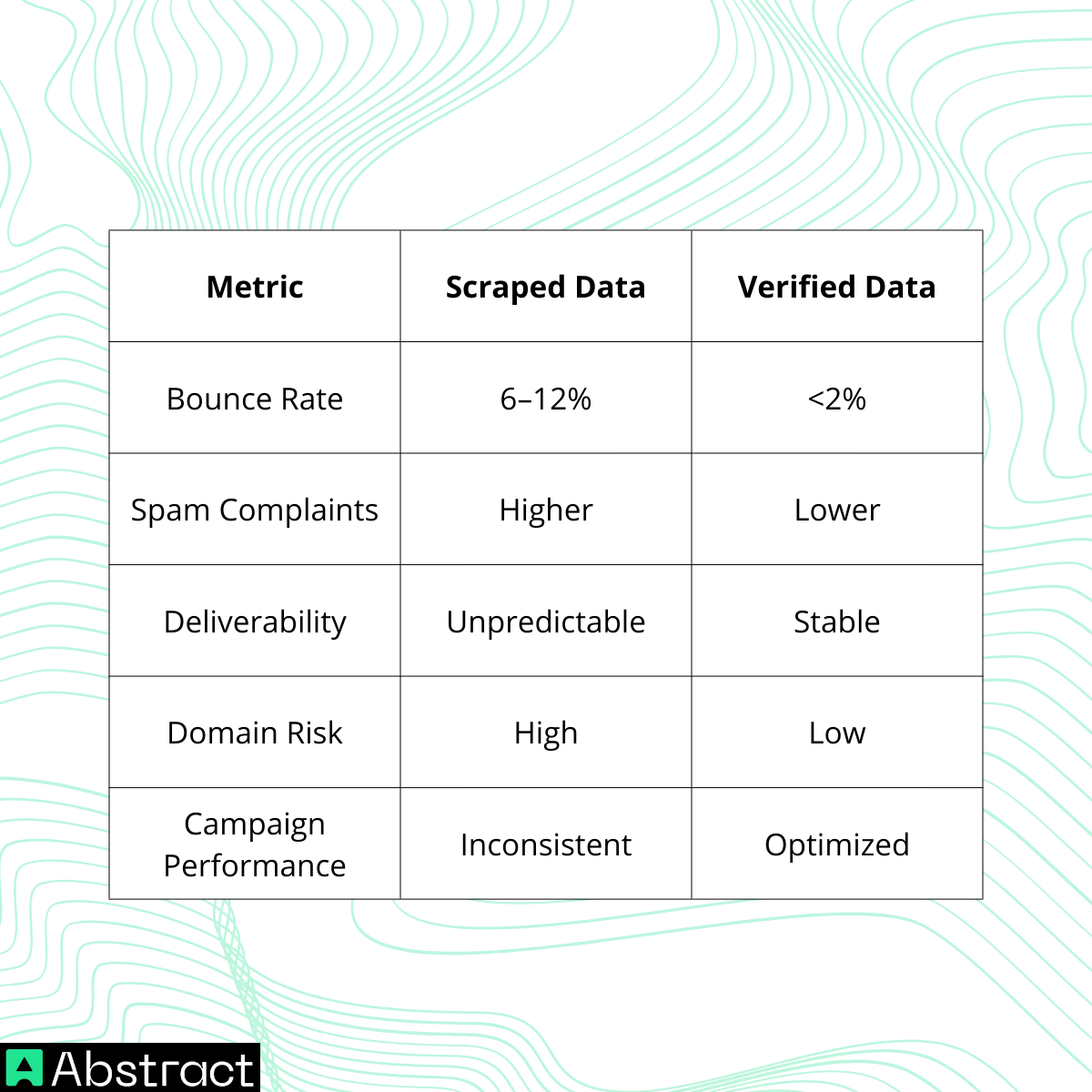
Verification dramatically improves the reliability of cold outreach campaigns.
The Catch-All Strategy (Advanced)
Catch-all domains are one of the most complex challenges when trying to avoid spam filters in cold email.
What Is a Catch-All Domain?
A catch-all domain accepts emails sent to any address under that domain.
For example:
All of these may appear deliverable — even if the mailbox doesn't exist.
Many enterprise companies, especially in tech and finance, configure catch-all systems to ensure they never miss inbound messages.
However, this configuration makes verification more difficult.
Segment Your Lists by Risk
Instead of deleting catch-all emails completely, use a segmented risk strategy.
The Safe List
Criteria:
- SMTP valid
- Not catch-all
- Not disposable
These contacts can be sent at normal campaign volume.
The Risky List
Criteria:
- Catch-all domains
Best practice:
- Send through a secondary domain
- Use low sending volume
- Example: 5 emails per day
This approach protects your primary sending domain while still testing potentially valuable leads.
How Email Verification Helps Avoid Spam Filters in Cold Email
Cleaning your list before sending dramatically reduces negative reputation signals.
When you clean an email list for cold outreach, you reduce:
- Hard bounces
- Spam complaints
- Invalid addresses
- Domain reputation damage
Mailbox providers increasingly prioritize sender reputation and engagement signals.
Verified lists therefore help ensure your emails reach inboxes instead of spam folders.
Uploading Verified Leads to Instantly or Woodpecker
Once verification and filtering are complete, the final step is simple.
- Export the Deliverable segment
- Import it into Instantly or Woodpecker
- Launch your campaign
Because the emails have already passed SMTP and domain validation checks, bounce rates are significantly reduced.
Ongoing List Hygiene
Cold outreach data ages quickly.
A lead scraped today may be invalid within months.
A simple rule many outbound teams follow:
Re-verify any list that sits in your CRM for more than 30 days before sending.
Regular verification helps teams:
- Reduce bounce rate instantly
- Avoid spam filters in cold email
- Protect sender reputation
- Improve campaign performance
Data Quality Is Your Only Moat
Cold outreach is getting harder.
AI-generated spam has flooded inboxes, and mailbox providers are responding with increasingly strict filtering systems. The teams that win are not the ones sending the most emails.
They are the ones whose emails actually arrive.
Adopting a Zero-Trust data workflow, where every lead must pass verification before outreach, protects your entire outbound infrastructure.
Before launching your next campaign, make sure your contacts pass MX record and SMTP validation checks.
Protect Your Sender Reputation Before Your Next Campaign

Cleaning your list is the simplest way to avoid spam filters in cold email and reduce bounce rate instantly.
If you want to clean an email list for cold outreach quickly and reliably, start by verifying your contacts before sending.
Verify your first 100 emails for free using Abstract's Email Verification API and launch your next outreach campaign with confidence.
Frequently Asked Questions
Why do you need to pre-clean an email list before cold outreach?
Invalid or outdated addresses in your list cause hard bounces, and a bounce rate above 2-3% signals mailbox providers like Google and Yahoo to throttle or block your sending domain. Pre-cleaning removes bad addresses before a single email is sent, protecting your sender reputation before it is damaged.
What does the Abstract Email Verification API check during list cleaning?
The API performs syntax validation, MX record lookups to confirm the domain accepts mail, and SMTP-level mailbox checks to verify the specific address exists and can receive messages. It also flags disposable email addresses and catch-all domains so you can segment or exclude those contacts separately.
What is a catch-all domain and how should I handle those addresses?
A catch-all domain is configured to accept mail sent to any address at that domain, which means an SMTP check cannot confirm whether the individual mailbox actually exists. The recommendation is to segment catch-all addresses into a separate, lower-priority tier rather than deleting them outright, and send to them only after your main verified list has warmed up your domain.
How often should I re-validate a list I have already cleaned?
Email lists decay at roughly 2% per month as employees change jobs, close accounts, or update addresses. Any list that has sat unused for 30 days or more should be re-verified before the next campaign to avoid bounces from addresses that were valid during the initial scrub but have since gone inactive.
Can I use a Python script to clean my list with the API instead of a no-code tool?
Yes. The guide covers both approaches: non-technical teams can route new leads through Zapier or Make to trigger a verification call automatically, while developers can write a Python script that posts each address to Abstract's API endpoint and filters the response by SMTP validity, catch-all flag, and disposable status before writing the clean list to a new CSV.
Why is the built-in email validation inside Instantly or Woodpecker not enough?
Most outreach platforms perform validation against cached datasets rather than running live SMTP checks at the moment of upload. Cached data can be weeks or months out of date, so addresses that have since been deactivated pass the platform's check but still bounce when the email is sent. Running a dedicated real-time verification step before uploading catches those stale records the platform's own check would miss.
