


The HTTP Status Code 405 means that a request method (e.g., POST, PUT) is not supported for the requested resource.
Understanding and Fixing the 405 Method Not Allowed Error
Imagine trying to drop a letter into a mailbox marked "receive-only" 📬 — the mailbox exists, but you're not allowed to put anything inside. That's essentially what happens when you see a 405 Method Not Allowed error. The server recognizes your request, but it refuses to process it using the HTTP method you tried (like POST, PUT, or DELETE).
This guide breaks down what the 405 error means, how to fix it (both for website owners and developers), and what impact it can have on your SEO performance.
What Is a 405 Method Not Allowed Error?
The 405 Method Not Allowed status code is part of the HTTP response family. It indicates that:
✅ The requested resource exists (unlike a 404 Not Found error), but
❌ The server does not allow the specific HTTP method you used for that resource.
For example, if you try to send a POST request to a page that only supports GET, you'll encounter a 405 error.
A key detail: the server's response must include an Allow header, listing all permitted HTTP methods for that endpoint.
- Example: Allow: GET, HEAD, OPTIONS
This header is your best diagnostic clue — it tells you exactly what the server expects.
How to Fix a 405 Error on Your Website
If you're a website owner or working with a CMS like WordPress, you're not alone — this error is fairly common after updates or configuration changes. Here are the most effective quick fixes 👇
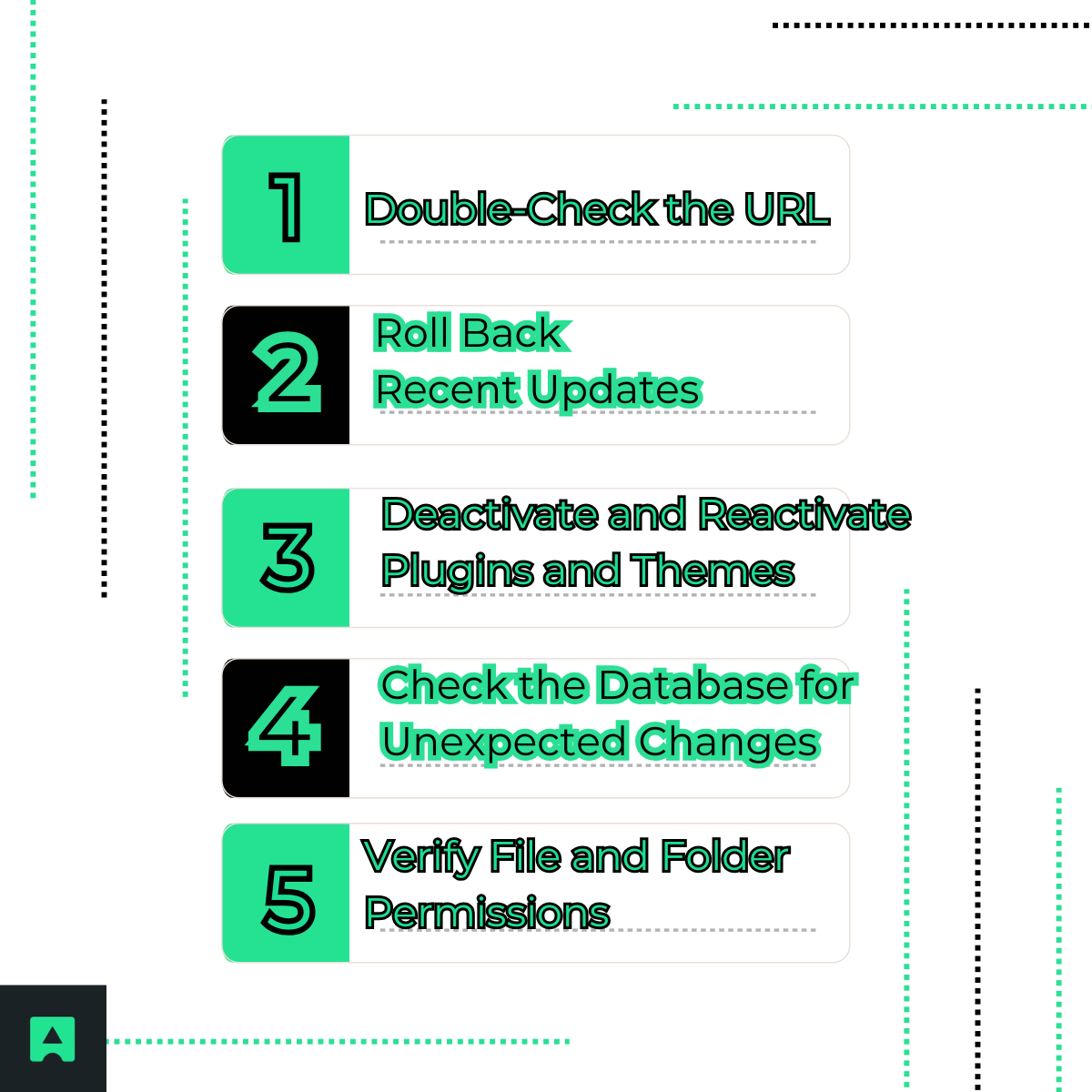
1. ✅ Double-Check the URL
Sometimes the simplest step solves the issue. Make sure the URL you're visiting is correct — a missing trailing slash or wrong path can trigger a 405, especially on CMS-based sites.
2. 🔙 Roll Back Recent Updates
If the 405 appeared after a theme, plugin, or CMS core update, try reverting to a previous version. Compatibility issues between plugins and WordPress can easily block certain HTTP methods.
3. 🔌 Deactivate and Reactivate Plugins and Themes
Plugins often modify server behavior or routes. Temporarily deactivate all plugins, then reactivate them one by one to find the cause. The AbstractAPI Email Validation API is a great example of a plugin-safe integration that won't break routing or permissions.
4. 🗃️ Check the Database for Unexpected Changes
Some plugins modify database tables like wp_options or wp_posts. Review recent entries for unexpected configurations that could restrict endpoints.
5. 🔐 Verify File and Folder Permissions
Incorrect file permissions can lead to restricted access.
Recommended settings are:
- Folders: 755
- Files: 644
You can adjust these via FTP or your hosting control panel.
👨💻 Troubleshooting the 405 Error for Developers
If you're a developer, a 405 usually means there's a mismatch between the HTTP method and the server configuration or application routing. Let's dive into the technical details 🧠
1. 🧾 Check the Allow Header
Start by reviewing the response headers from the server:
HTTP/1.1 405 Method Not Allowed
Allow: GET, POST, HEAD
This tells you exactly which HTTP methods are valid for that URL — a crucial clue before diving into the code.
2. 📜 Inspect Server Logs
Review your access.log and error.log files to identify the exact request that failed. Logs often include valuable hints about rejected methods or misconfigured endpoints.
3. ⚙️ Review Server Configuration
🔸 Apache (.htaccess)
Apache servers may restrict methods through <Limit> or <LimitExcept> directives.
Example:
<LimitExcept GET POST>
Deny from all
</LimitExcept>
If your POST request fails, check these directives. Also, RewriteRule directives can sometimes interfere with allowed methods — ensure rewrite flags like [L,R=405] aren't unintentionally triggered.
🔸 Nginx (nginx.conf)
In Nginx, a 405 can occur if a POST request targets a static file. You might see configurations like:
location /api/ {
limit_except GET {
deny all;
}
}
To allow additional methods, adjust the limit_except directive or use proxy_pass to route the request to the correct upstream server.
4. 🧠 Debug Application Code and Routing
Your app's router must have handlers for each allowed HTTP method. In Node.js with Express, for example:
app.get('/users', (req, res) => {
res.send('GET request successful');
});
If you send a POST to /users without defining app.post('/users'), Express will return a 405 Method Not Allowed.
Test endpoints manually using Postman or cURL to verify supported methods.
5. 🧪 Use API Testing Tools
You can use Abstract's suite of APIs to safely test HTTP requests and responses. Tools like Abstract's IP Geolocation API or Email Verification API are perfect for understanding method behavior and server responses without breaking your production app.
What Is the SEO Impact of a 405 Error?
While occasional 405s won't tank your SEO, repeated or persistent errors can hurt your site's crawlability and user experience. Search engines may interpret a 405 as a signal that content is inaccessible or improperly configured.
To protect your SEO health:
- Regularly check your Google Search Console for 405 or 4xx errors.
- Use a monitoring tool or Abstract's Website Uptime API to ensure all endpoints respond correctly.
🧭 Final Takeaways
A 405 Method Not Allowed error means your request reached the right destination — but used the wrong method. Whether you're a site owner checking plugins or a developer reviewing server configurations, the fix often comes down to understanding what methods your endpoint allows and ensuring they align with your application logic.
By systematically applying the steps above, you'll be able to resolve the 405 error quickly and prevent it from reoccurring 🚀
👉 Explore more in AbstractAPI's HTTP Status Code Guide to master error handling and keep your APIs running smoothly.
Frequently Asked Questions
What does HTTP 405 Method Not Allowed mean?
HTTP 405 means the server recognizes the requested endpoint but refuses to process the HTTP method used against it. For example, a server may accept GET requests on a resource but reject POST requests to that same URL. The resource exists — the problem is solely the method being used.
When does a server return a 405 error?
A 405 error is returned whenever there is a mismatch between the HTTP method in the request and the methods the server permits for that resource. Common triggers include sending a POST to a read-only endpoint, using DELETE on a resource that only allows GET and HEAD, or having server configuration directives in Apache or Nginx that explicitly restrict certain methods.
How do I fix an HTTP 405 error?
Start by inspecting the Allow response header, which the server is required to include and which lists every permitted method for the resource. Then review your application routing to confirm a handler exists for the method you are using, and check your server configuration files — such as Apache .htaccess or Nginx nginx.conf — for any directives that restrict the method. Tools like Postman or cURL make it straightforward to test endpoints and read response headers.
What is the difference between HTTP 405 and HTTP 404?
A 404 Not Found means the resource does not exist at the given URL. A 405 Method Not Allowed means the resource does exist, but the HTTP method used is not supported for it. If you receive a 405, you can be confident the URL is correct — the issue is only with which method you are using.
What is the Allow header and why does it matter in a 405 response?
When a server returns a 405, it is required to include an Allow header listing the HTTP methods that are accepted for that resource — for example, Allow: GET, POST, HEAD. Reading this header immediately tells you which methods are valid, so you can correct your request without guessing or consulting documentation.
Can HTTP 405 errors affect SEO?
Yes. Persistent 405 errors can reduce how effectively search engine crawlers index your site and signal a misconfiguration to search engines, which can negatively affect rankings. It is good practice to monitor Google Search Console for recurring 4xx errors and resolve them promptly to protect crawlability.
