


The HTTP Status Code 405 means that the requested resource can only generate content that is deemed unaccepted by the Accept headers sent in the original request.
Understanding the 406 Not Acceptable Error: Causes, Fixes, and Developer Solutions
Imagine walking into a library and asking for "Pride and Prejudice" in French. The librarian smiles and says, “Sorry, we only have it in English and Spanish.” 📚
That’s exactly what happens when your browser or app requests data in a format the server can’t provide. The digital version of that polite refusal? The HTTP 406 Not Acceptable error.
This guide breaks down what this error means, why it happens, and how to fix it — whether you’re a casual website visitor, a site owner, or a developer troubleshooting API responses.
What Is a 406 Not Acceptable Error?
The 406 Not Acceptable status code is part of the HTTP response status code family.
It indicates that:
- The server understands your request, but it can’t return a response in a format that matches what your client (like your browser or app) says it will accept.
This mismatch usually happens because of something called HTTP content negotiation — a process where the client and server agree on the best way to exchange data (like JSON, HTML, XML, etc.). When they can’t find common ground, the server sends a 406 error instead of the content you wanted.
How to Fix a 406 Error: Common Solutions
If you’re just trying to access a page or manage your website, you probably don’t want to read HTTP headers — you just want the problem gone. Here are quick, proven solutions that work for most users:
1. ✅ Check the URL for Typos
A simple mistake like adding .json or .php to a URL can confuse the server.
👉 Example: example.com/page.json might trigger a 406 if the site doesn’t support JSON responses.
Fix: Remove extra suffixes or parameters and try again.
2. 🧼 Clear Browser Cache and Cookies
Outdated cache files or cookies can cause your browser to send incorrect request headers.
Fix:
- In Chrome: Go to Settings → Privacy → Clear Browsing Data.
- Then refresh the page and see if the issue persists.
3. ⚡ For CMS Users (WordPress, Joomla!, etc.)
Deactivate Plugins/Extensions:
A faulty plugin can interfere with server responses. Disable all plugins and reactivate them one by one to find the culprit.
Roll Back Recent Updates:
Sometimes, a recent theme or CMS update changes how your site handles content types. If the 406 appeared after an update, try rolling back to a previous version.
- 💡 Tip: Always back up your site before making major changes.
🧱 A Common Culprit: How mod_security Causes 406 Errors
One of the most frequent — yet least understood — causes of 406 errors comes from mod_security, a web application firewall (WAF) often used by hosting providers on Apache servers.
What Is mod_security?
It’s a rule-based system that protects your site from common threats like SQL injection or cross-site scripting. However, it can sometimes become overprotective, blocking legitimate requests.
The False Positive Problem
Let’s say your contact form submission includes the word “DROP” (as in “drop us a line”). mod_security might flag that as a potential SQL command and reject it with a 406 Not Acceptable response. 🛡️
How to Fix It:
- Check your server logs for mod_security entries — this often reveals which rule was triggered.
- Contact your hosting provider and ask them to whitelist or disable the specific rule causing the issue.
- Advanced users can temporarily disable mod_security rules via .htaccess or cPanel, but contacting your host is the safest path.
Troubleshooting 406 Errors for Developers
If you’re working with APIs or server-side frameworks, this section is for you.
1. Focus on Accept Headers
The root cause of most 406 errors is a mismatch between the client’s Accept headers and the content types the server can return.
Example:
GET /data HTTP/1.1
Host: api.example.com
Accept: application/rtf
If the server only supports application/json or text/html, it will respond with:
HTTP/1.1 406 Not Acceptable
2. How to Set Correct Headers
- cURL
curl -H "Accept: application/json" https://api.example.com/data
- Python (Requests)
import requests
response = requests.get("https://api.example.com/data", headers={"Accept": "application/json"})
- JavaScript (Fetch API)
fetch("https://api.example.com/data", {
headers: { "Accept": "application/json" }
});
✅Setting the right Accept header ensures that your request aligns with the formats your API supports.
3. Common API Scenarios
- Spring Boot REST API:
A 406 can occur if a controller method returns data in a type that doesn’t match the produces value (e.g., returning a long when the API expects String for a text/plain response).
- Postman vs. Browser:
If a request works in your browser but fails in Postman, check your headers — the browser often adds defaults like Accept: text/html.
4. 406 vs. 415: What’s the Difference?
- 406 Not Acceptable: The server can’t send the content in the requested format.
- 415 Unsupported Media Type: The server can’t read the format of the data you sent.
Understanding this distinction helps narrow down the root cause quickly.
Understanding the Root Cause: HTTP Content Negotiation
Content negotiation is the conversation between a client and a server about how to exchange data.
Your browser says, “I’ll accept JSON, HTML, or plain text.” The server checks what it can serve and responds accordingly.
If there’s no overlap — no “common language” — the server politely declines with a 406 Not Acceptable.
This mechanism ensures web compatibility but can cause issues when configurations or middleware (like WAFs or proxies) interfere.
For a deeper dive into how HTTP works, check out our guide on HTTP Status Codes.
SEO Impact of a 406 Error
If your site frequently throws 406 errors, search engines may interpret it as poor user experience or unavailable content.
This can lead to:
- Lower crawl frequency by search bots.
- Reduced indexation for affected URLs.
- Negative impact on site trust and visibility.
💡 Tip: Regularly monitor your site’s logs and use tools like Google Search Console to catch crawl errors early.
Implementing Smart API Error Handling
Developers can prevent 406 issues by implementing robust error handling in their APIs.
Tools like the AbstractAPI Email Validation API or IP Geolocation API.
include built-in response formatting, ensuring consistent content negotiation between clients and servers.
“We integrated AbstractAPI for geolocation and validation and saw a 90% reduction in malformed responses — including 406s,” says Alex M., Backend Engineer at a fintech startup.
Key Takeaways
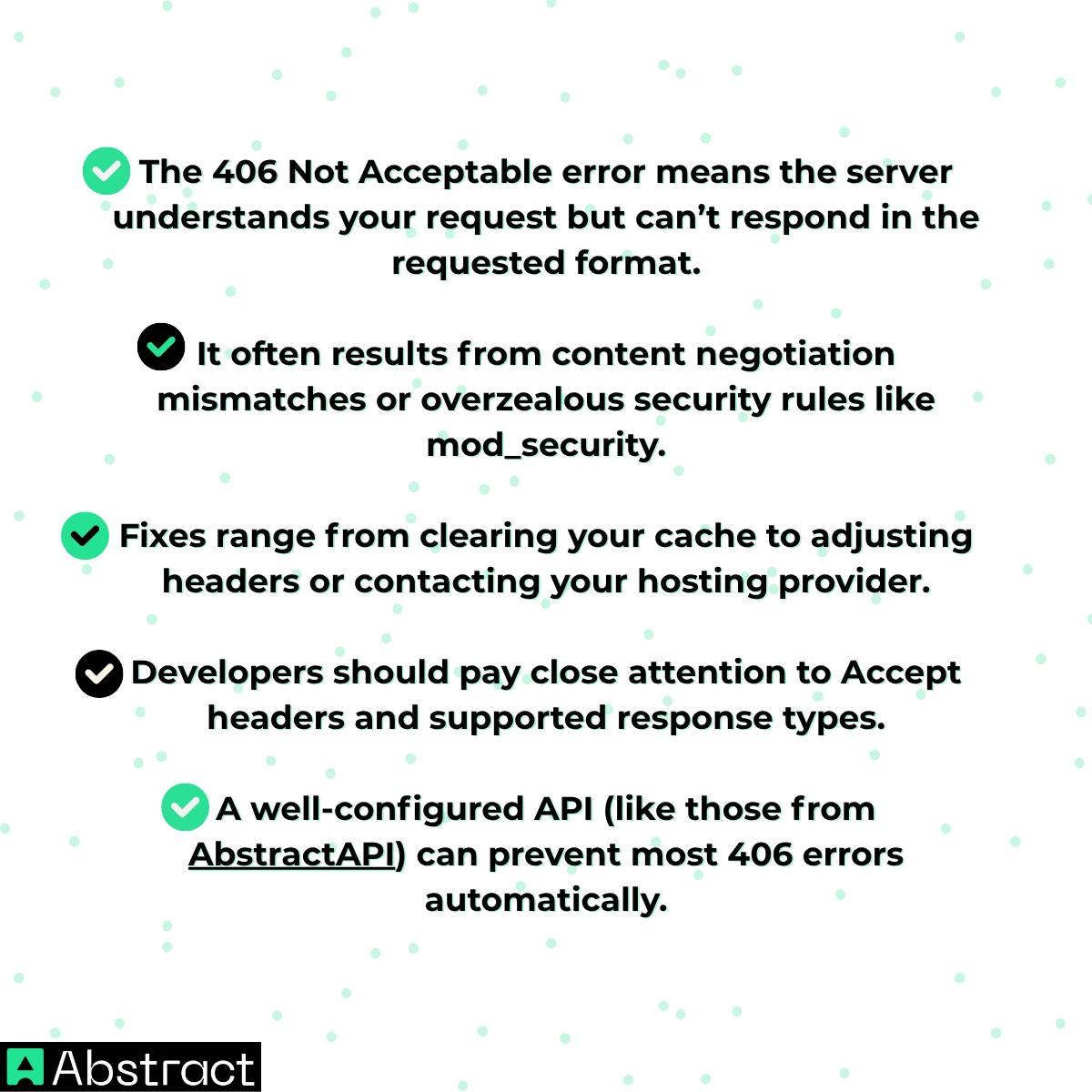
✅ In Short:
When you see a 406 error, don’t panic — it’s just your browser and the server speaking different “languages.” With the right adjustments, you can get them back in sync in no time. 🌐✨
