



What Is SPF and How Does It Work?
Before you can fix SPF problems, you need to understand how this essential protocol protects your domain's reputation 💪.
✉️ Email's Foundational Trust Problem
The email protocol we still rely on today — SMTP — was never built to verify sender identity. That means anyone can forge a "From" address, making email spoofing and phishing alarmingly easy 🎭.
🔐 Introducing SPF (Sender Policy Framework)
SPF is a DNS-based email authentication standard that lets domain owners publicly declare which mail servers are allowed to send emails on their behalf. In simple terms, it's your way of saying, "✅ These are the only servers allowed to send messages from my domain."
⚙️ The Mechanism Explained
Here's how SPF works step-by-step:
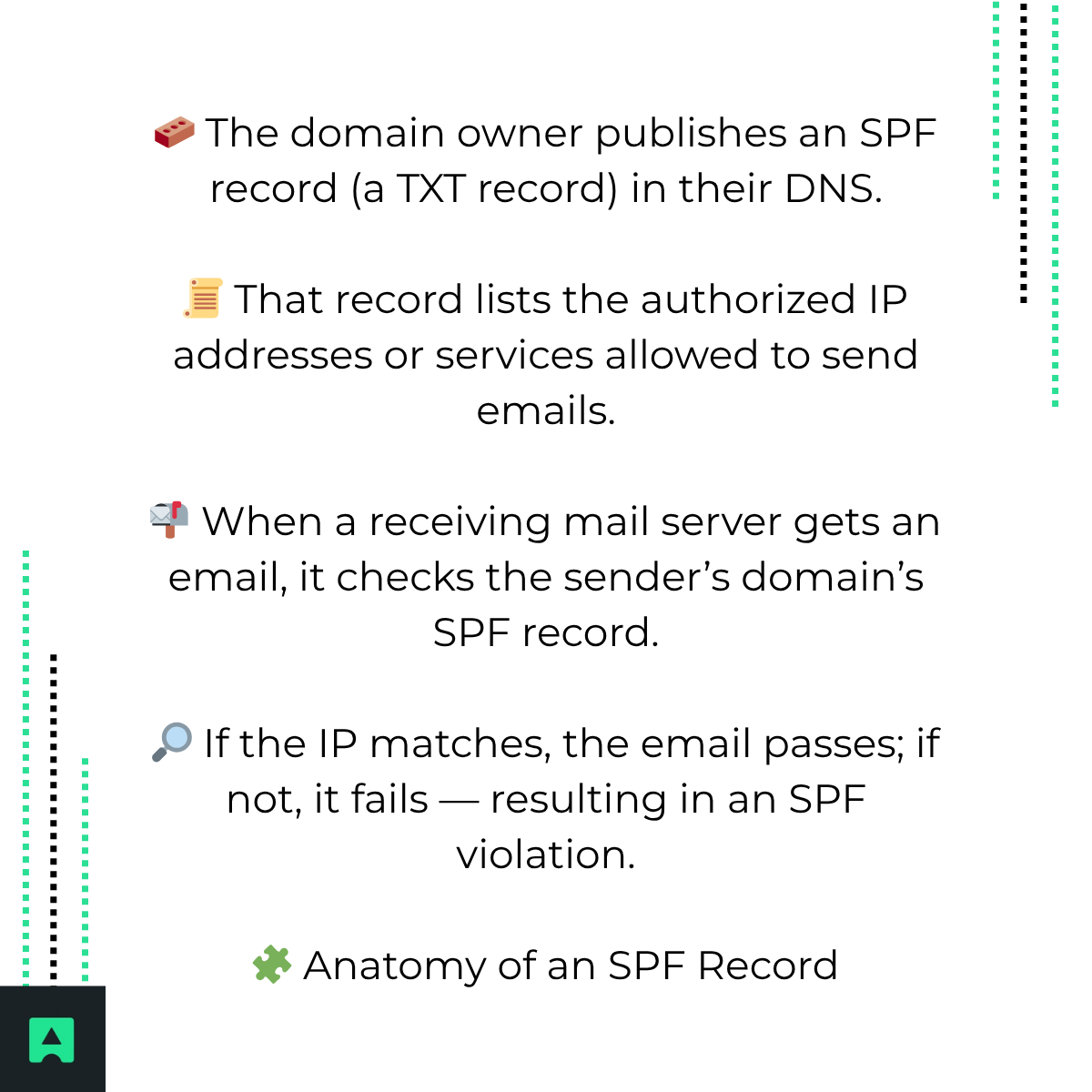
Example: v=spf1 ip4:192.168.0.1 include:_spf.google.com -all
Breakdown:
- v=spf1 → SPF version declaration.
- ip4:192.168.0.1 → Authorizes a specific IP address.
- include:_spf.google.com → Authorizes a third-party sender like Google Workspace.
- -all → A HardFail instruction: reject unauthorized senders ❌.
- ~all → A SoftFail: mark unverified messages as suspicious ⚠️.
Knowing the difference between SPF SoftFail vs HardFail helps when diagnosing whether a failure means misconfiguration or successful blocking of malicious emails.
What Is an SPF Violation?
An SPF violation (or SPF Fail) happens when the receiving mail server checks the sender's domain SPF record and finds that the sending IP address ❌ isn't authorized.
📉 Impact on Email Deliverability
When this happens, spam filters raise a red flag 🚫. Depending on your domain's SPF policy (-all or ~all), emails can:
- End up in the junk or spam folder 🗑️
- Be rejected entirely and bounced back to the sender
🕵️ Security Implications
Not all SPF violations are bad news — sometimes, it means your system is doing its job. If an attacker tries to impersonate your domain, the SPF failure signals that the spoofed email has been successfully blocked 🛑.
Why SPF Violations Happen: Common Culprits
SPF issues typically fall into two main categories — legitimate misconfigurations or malicious activity.
⚙️ Category 1: Legitimate Senders Are Failing (Misconfiguration)
- 1. Forgotten Third-Party Services 🧾
You might have added a new tool like Mailchimp, Zendesk, or Stripe that sends email using your domain — but forgot to update your SPF record.
- 2. Outdated IP Addresses 🔄
Your mail server's IP changed, but your SPF record wasn't updated.
- 3. The 10-DNS-Lookup Limit 🚧
SPF records are limited to 10 DNS lookups (from include, a, mx, or redirect mechanisms). Exceeding this limit triggers a PermError, causing validation to fail even if the rest of the record is valid.
🦠 Category 2: Illegitimate Senders Are Failing (Malicious Attacks)
When attackers spoof your domain, the SPF system correctly flags those emails as unauthorized. This means SPF is doing its job — protecting your customers and your brand's credibility 🛡️.
The Diagnostic Toolkit: How to Investigate and Fix an SPF Violation
Let's walk through how to find and resolve SPF issues step-by-step 🧰.
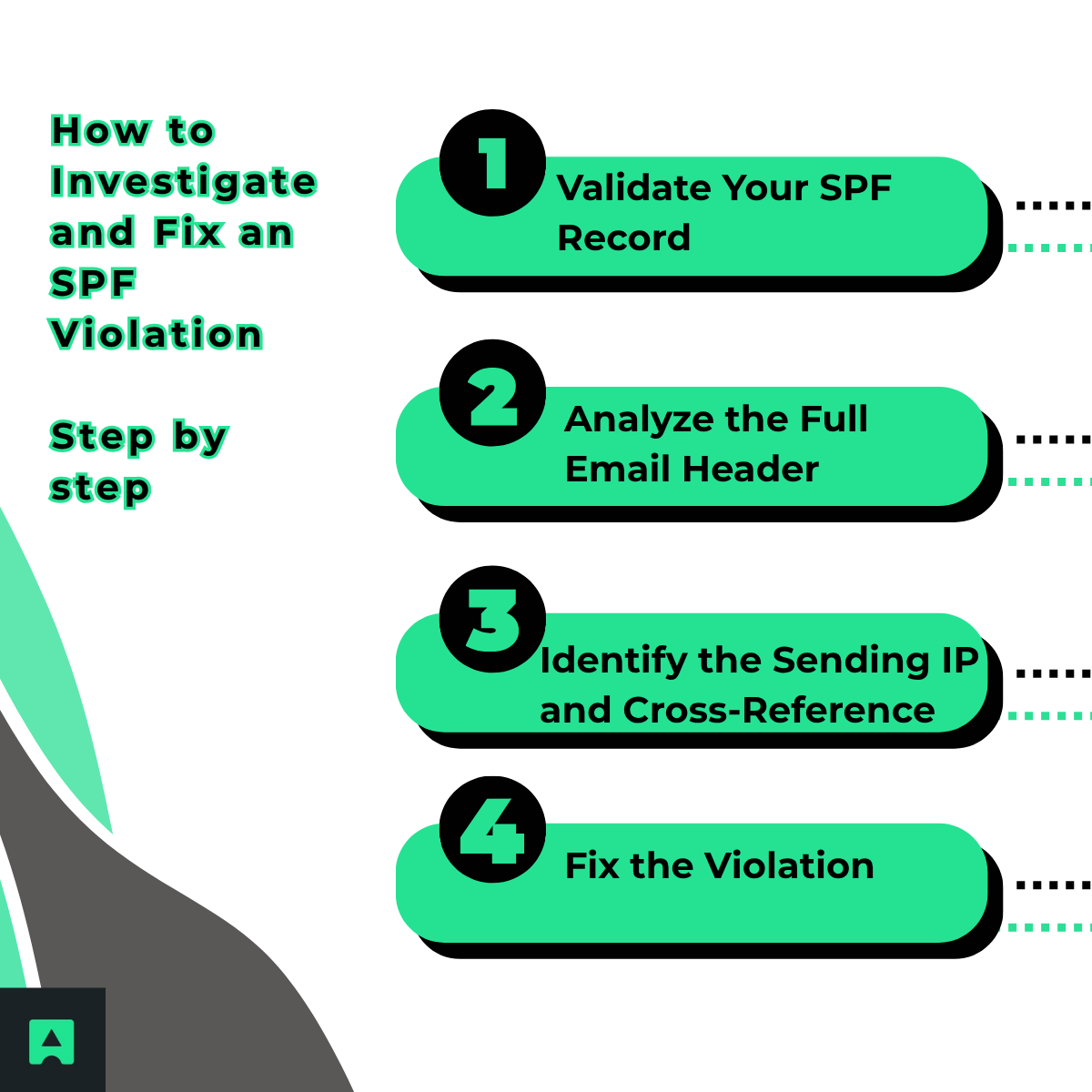
🧾 Step 1: Validate Your SPF Record
Before diving into email headers, start with a record health check.
Use a free tool like AbstractAPI's SPF Checker🔍 to:
- Identify syntax or structural errors
- View all authorized IPs after resolving includes
- Check if you exceed the 10-lookup limit
🧩 Step 2: Analyze the Full Email Header
Email headers contain the clues to diagnose SPF issues 🕵️♂️. In Gmail or Outlook, view the full message header, then locate the Authentication-Results line — it will show spf=fail or spf=softfail, plus a reason.
🌐 Step 3: Identify the Sending IP and Cross-Reference
Find the Received-SPF line or the originating IP. Compare that IP to your SPF record results from Step1.
✅ If it's listed → The issue may be elsewhere (check DKIM or DMARC). If you're starting from scratch, the order matters: SPF first, then DKIM on every sending source, then DMARC at p=none. For the full sequence with DNS examples by provider, see How to set up DMARC step by step.
❌ If it's missing → Update your SPF record to include that sender.
🛠️ Step 4: Fix the Violation
- If the IP belongs to a legitimate sender:
Update your DNS SPF record with the new IP or include the correct third-party service. Remember the 10-lookup limit!
- If the IP is unknown or malicious:
Your SPF record is working correctly. Strengthen your protection by setting up DMARC to reject spoofed emails automatically.
Beyond SPF: Building a Robust Email Authentication Strategy
SPF is just one piece of the puzzle 🧩. For complete protection, combine it with DKIM and DMARC.
🔑 DKIM (DomainKeys Identified Mail)
Adds a cryptographic signature to each email, proving it hasn't been tampered with during transit.
🧠 DMARC (Domain-based Message Authentication, Reporting & Conformance)
Builds on SPF and DKIM to:
- Instruct servers to quarantine or reject unauthenticated emails 🚫
- Provide reports showing who's sending emails from your domain
- Protect your brand by making impersonation much harder
To strengthen your setup, consider using AbstractAPI's Email Verification & Validation API to continuously check domain and sender authenticity.
Conclusion: From Reactive Fixes to Proactive Defense
An SPF violation is more than an inconvenience — it's a critical signal that something in your email authentication chain needs attention.
To summarize:
🔍 Check your SPF record regularly.
📬 Analyze email headers to spot the root cause.
🧱 Update or reinforce your SPF policy when new senders are added.
Email authentication isn't a "set it and forget it" task. As your tech stack evolves, so should your DNS and SPF configurations.
👉 Final Tip: Make email authentication a core part of your security strategy. Use AbstractAPI's SPF Checker to keep your records healthy, combine SPF with DKIM and DMARC, and ensure your emails reach the inbox — not the spam folder 📨.
Frequently Asked Questions
What is an SPF violation?
An SPF violation (also called an SPF Fail) happens when a receiving mail server checks the sender's domain SPF record and finds that the sending IP address is not authorized. SPF is a DNS-based standard that lets domain owners declare which mail servers are allowed to send email on their behalf, so a violation means the email came from a server that isn't on that approved list.
What is the difference between an SPF SoftFail and a HardFail?
An SPF HardFail (indicated by -all in the record) tells the receiving server to reject the email outright because the sender is not authorized. A SoftFail (~all) marks the message as suspicious but still allows delivery, typically routing it to the spam folder. HardFail is the stricter policy and is recommended once you are confident your SPF record is complete.
What causes legitimate emails to trigger an SPF violation?
The most common causes are forgotten third-party sending services whose IP ranges are not included in the SPF record, outdated IP addresses from infrastructure changes, and exceeding the 10-DNS-lookup limit. Exceeding that limit triggers a PermError, which causes SPF validation to fail even if the rest of the record is correctly configured.
How do I diagnose an SPF violation on my domain?
Start by validating your SPF record with a dedicated checker tool such as Abstract's SPF Checker. Then inspect the full email headers of a failing message and look for the Authentication-Results line, which shows the SPF result and the IP address that was evaluated. Cross-reference that IP against all your authorized sending services, and update your DNS record to include any missing sources.
Should I be worried if I see SPF violations in my logs?
Not always. It depends on the source. If the violating IP belongs to a legitimate service you forgot to include, update your SPF record to authorize it. If the IP is unknown or clearly external, the violation likely means someone is attempting to spoof your domain and SPF successfully blocked them. Reviewing the sending IPs helps you tell the difference.
How do SPF, DKIM, and DMARC work together to prevent SPF violations from hurting deliverability?
SPF verifies that the sending IP is authorized by the domain's DNS record, DKIM adds a cryptographic signature to prove the message wasn't tampered with, and DMARC builds on both to give domain owners explicit control over how receiving servers should handle emails that fail either check. Using all three together provides the strongest protection against spoofing and the best deliverability outcomes.
