


The HTTP Status Code 402 is reserved for future use.
What Is HTTP Status Code 402? The Currency of the Agentic Web
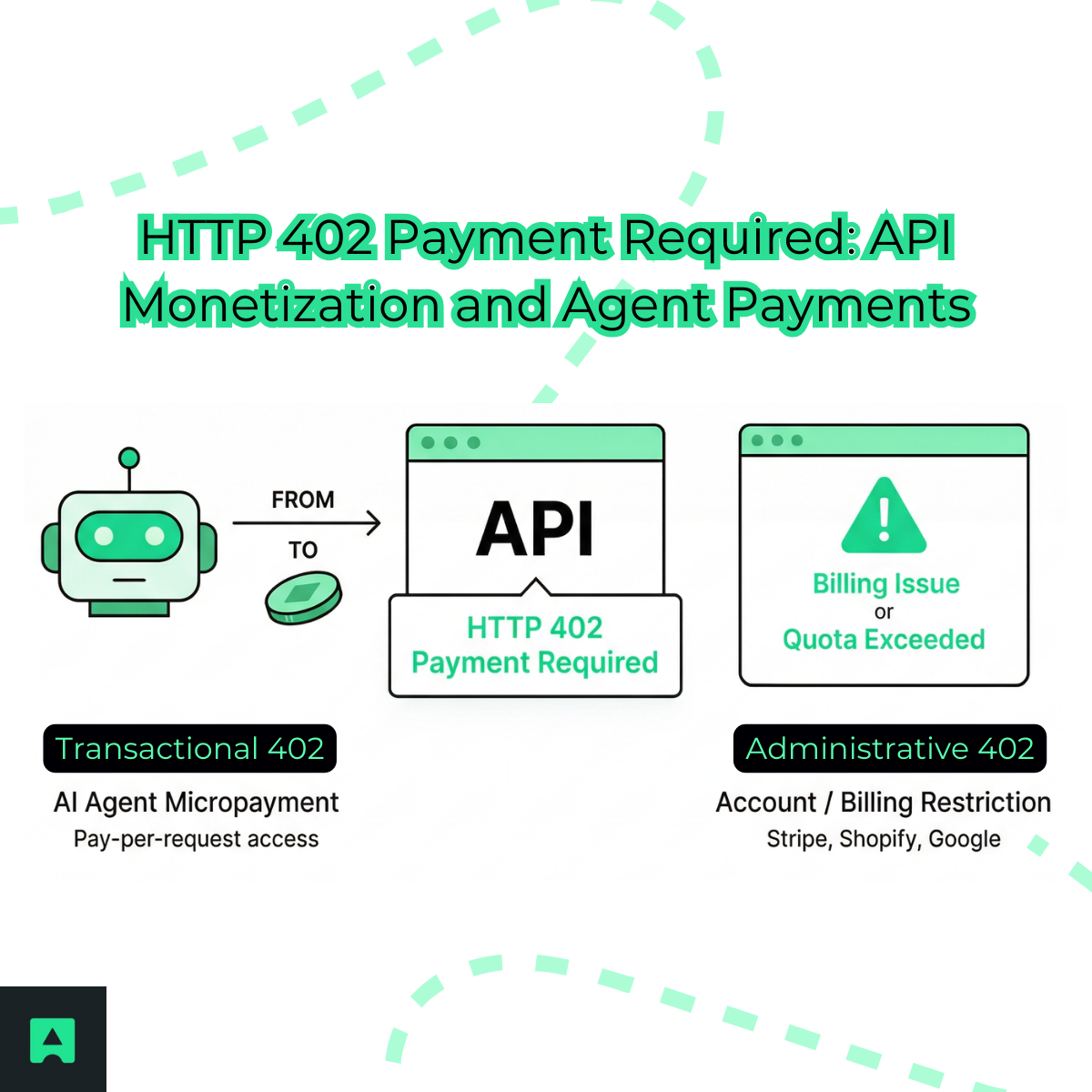
The 402 status code, officially known as HTTP 402 Payment Required, has become a critical part of modern API monetization. In 2026, this status code powers the emerging agentic web, where AI agents pay for API access instantly using micropayments.
Unlike traditional billing systems that rely on subscriptions or credit cards, modern APIs use the http 402 payment required response to request payment programmatically.
This shift is driven by two major forces:
- Transactional usage: APIs using HTTP 402 to request real-time micropayments from AI agents.
- Administrative usage: Platforms like Stripe, Shopify, and Google using the 402 error code to signal billing issues, quota limits, or account restrictions.
Understanding both roles is essential for developers building, consuming, or monetizing APIs.
What Is HTTP 402 Payment Required?
The HTTP 402 Payment Required status code means the client must complete a payment before the server will fulfill the request.
In simple terms: The resource is available — but locked behind a payment requirement.
Example: HTTP/1.1 402 Payment Required
Meaning: Access will be granted once payment is completed.
In 2026, the 402 status code will be widely used in API monetization, especially for automated systems and AI agents.
Transactional 402 (Agentic Payments)
Transactional HTTP 402 Payment Required responses are used when an API requires immediate payment before granting access. This model is the foundation of the AI agent micropayments standard.
| Component | Description | Example |
|---|---|---|
| Purpose | Require payment before granting access to a resource | Paid API endpoint |
| Why HTTP 402 Is Used | Signals payment is required before access | API monetization gateway |
| Common Use Cases | APIs monetized per request or usage | Pay-per-request APIs, premium AI model access |
| Additional Use Cases | Services selling data or compute resources | Data marketplace endpoints, micropayment services |
| Server Response | Returns http 402 payment required response | HTTP/1.1 402 Payment Required |
| Payment Instruction | Provides invoice using agent payment protocols | Lightning invoice (L402) or stablecoin request (x402) |
| Client Action | Client or AI agent completes payment | Agent pays automatically |
| Result After Payment | Access is granted once payment is verified | API returns 200 OK |
| Primary Benefit | Enables automated, real-time monetization | AI agents paying per query |
Administrative 402 (Billing and Account Issues)
Administrative 402 is used by platforms to signal billing or quota problems.
Common causes include:
- Subscription expired
- Payment failed
- Account frozen
- Quota exceeded
Platforms that use 402 this way include:
- Stripe
- Shopify
- Google Cloud
In this case, payment restores account functionality rather than unlocking a single request.
HTTP 402 vs 403: Payment vs Permission
Developers often confuse HTTP 402 vs 403 for API monetization.
The difference is simple:
402 Payment Required
- Access is blocked until payment is made.
- Financial restriction.
403 Forbidden
- Access is blocked due to permissions.
- Authorization restriction.
Example comparison:
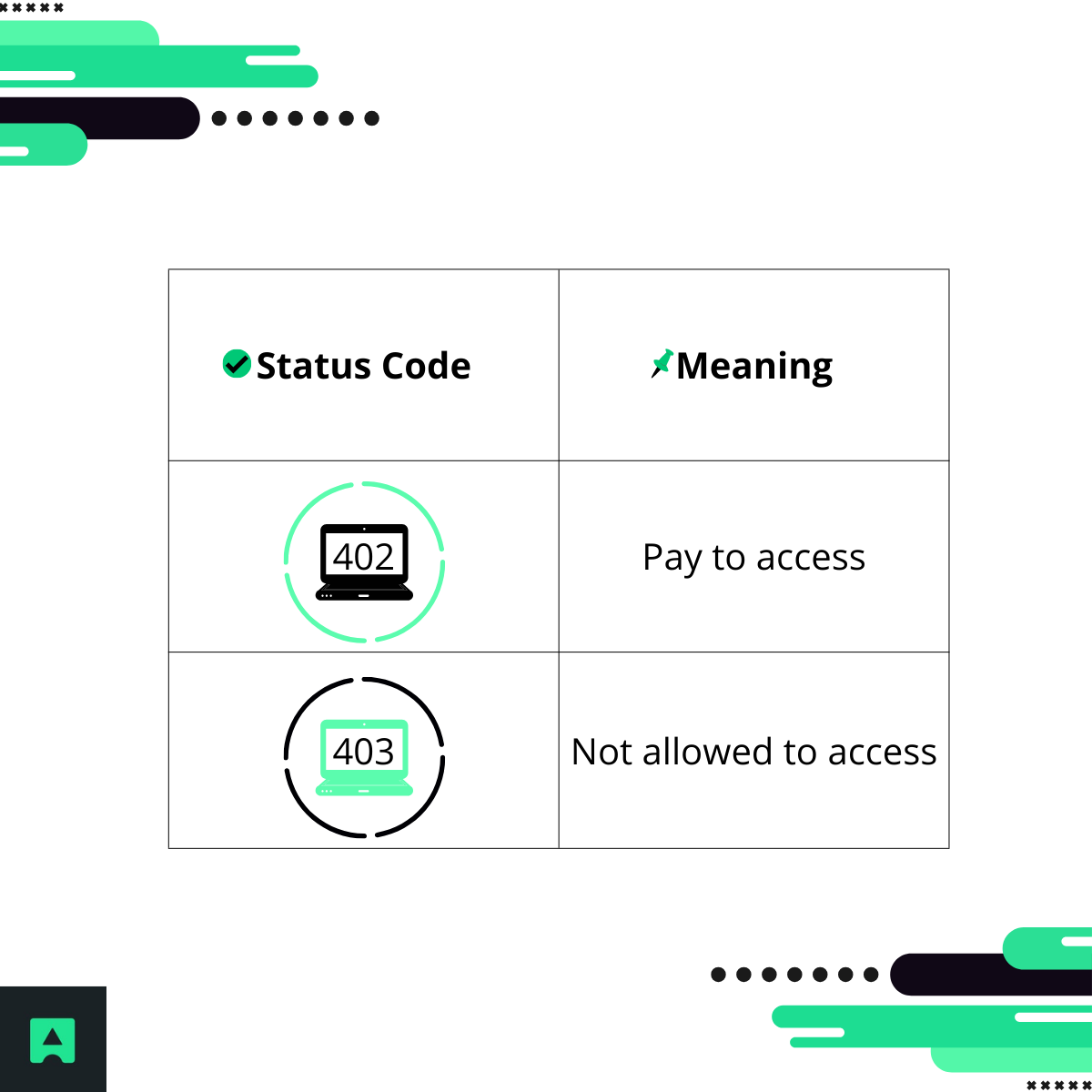
This distinction is critical when designing monetized APIs.
The L402 Protocol: Bitcoin Lightning Micropayments for APIs
The L402 protocol is one of the most important modern uses of the 402 status code.
L402 allows APIs to request payment using Bitcoin Lightning Network micropayments.
This enables:
- Pay-per-request billing
- Real-time payments
- Autonomous AI agent transactions
- No credit cards required
Example Node.js implementation:
app.get('/premium-data', (req, res) => {
const paymentHeader = req.headers['authorization'];
if (!paymentHeader) {
return res.status(402).set({
'WWW-Authenticate': 'L402 macaroon="...", invoice="lnbc1..."'
}).json({
error: "Payment Required",
message: "Pay 100 satoshis to access this resource."
});
}
next();
});
Flow:
- Client requests resource
- API returns 402 with invoice
- Client pays invoice
- Client retries with proof
- Access granted
This is the core of the agentic economy.
The x402 Protocol: Stablecoin-Based API Payments
Another emerging standard is the x402 protocol, which enables payments using stablecoins and blockchain networks.
Unlike L402, which uses Bitcoin Lightning, x402 uses:
- Stablecoins
- Crypto wallets
- EVM-compatible chains
This protocol is supported by major infrastructure providers and is rapidly becoming part of the AI agent micropayments standard.
Both L402 and x402 rely on HTTP 402 to initiate payment.
Stripe 402 Error and Safe Retry Pattern
The stripe 402 error is often used for billing failures or payment declines.
Common Stripe causes:
- Card declined
- Subscription inactive
- Payment authentication failed
In 2026, Stripe also introduced a special case:
402 upstream_timeout This does -> NOT mean payment is required -> It means the request failed due to a connection timeout.
Safe retry example:
try {
await stripe.paymentIntents.create({...});
} catch (err) {
if (err.statusCode === 402 && err.code === 'upstream_timeout') {
retryRequest();
}
}
This pattern improves reliability.
Shopify 402 Payment Required Meaning
The Shopify 402 payment required meaning typically indicates:
- Store billing overdue
- Subscription unpaid
- Account frozen
Fix: Pay outstanding balance.
Google APIs and 402 Status Code
Google uses HTTP 402 to indicate: Quota exceeded.
Meaning: Upgrade billing plan to continue. This is administrative, not transactional.
How to Fix 402 Payment Required Errors
The correct 402 payment required fix depends on how the HTTP 402 Payment Required status code is being used. The table below compares the most common scenarios and how to resolve them:
| Context | Why the 402 Error Happens | How to Fix It | Result After Fix |
|---|---|---|---|
| API Micropayments (L402 / x402) | The API requires payment before granting access | Pay the invoice provided in the response and retry the request with payment proof | API grants access and returns 200 OK |
| Stripe | Payment failed, card declined, or upstream timeout occurred | Check payment method, retry if it's an upstream_timeout, or update billing information | Payment completes or request succeeds |
| Shopify | Store subscription inactive or account billing overdue | Update billing details and pay outstanding balance | Store access and API functionality restored |
| Google APIs | API quota exceeded or billing not enabled | Enable billing or upgrade your plan to increase quota | API requests resume normally |
| Subscription-Based APIs | Subscription expired or insufficient plan level | Upgrade or renew subscription | Access to premium endpoints restored |
Monetizing Your API with HTTP 402
Using the 402 status code, developers can build:
- Pay-per-request APIs
- Usage-based billing systems
- Premium data services
- AI monetization platforms
This makes APIs programmable revenue streams.
Simplify Global Payments with AbstractAPI
Building a monetized API requires accurate currency conversion.
AbstractAPI’s Exchange Rate API helps developers:
- Convert currencies in real time
- Support global payments
- Handle crypto-to-fiat conversion
- Power international billing systems
This simplifies monetization and improves reliability.
Learn more: https://www.abstractapi.com/
The Future of HTTP 402 in the Agentic Economy
The HTTP 402 status code is no longer obscure.
It is now a core part of:
- AI agent payments
- Autonomous systems
- API monetization
Protocols like:
- L402
- x402
are transforming HTTP into a programmable financial layer.
Conclusion
The 402 status code, officially known as HTTP 402 Payment Required, has evolved into the payment gateway of modern APIs.
In 2026, it serves two essential roles:
- Transactional: Enabling real-time micropayments from AI agents.
- Administrative: Managing billing, subscriptions, and quota limits.
As APIs become economic infrastructure, HTTP 402 has become the currency of the agentic web.
FAQ: HTTP 402 Payment Required
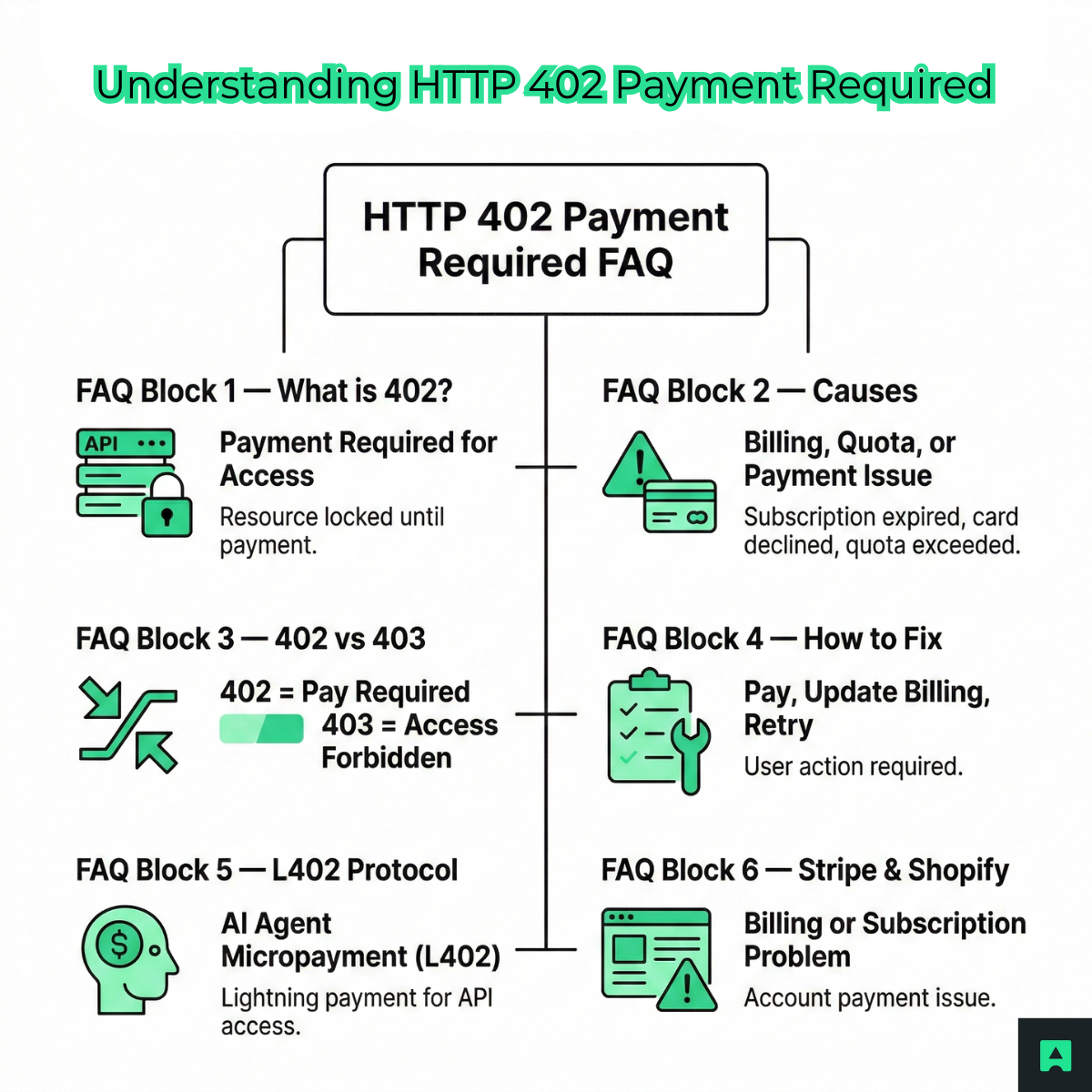
What is the 402 status code?
- The 402 status code means payment is required before access to a resource is granted. It is commonly used in API monetization and billing systems.
What causes HTTP 402 Payment Required?
Common causes include:
- Payment required for API access
- Subscription expired
- Quota exceeded
- Card declined
What is the difference between 402 and 403?
- 402 requires payment.
- 403 denies access due to permissions.
How do you fix a 402 error?
Fix depends on context:
- Pay invoice
- Update billing information
- Upgrade subscription
- Retry request
What is the L402 protocol?
- L402 is a Bitcoin Lightning micropayment protocol that uses HTTP 402 to request payment for API access.
Why do Stripe and Shopify use 402?
- They use it to indicate billing issues, failed payments, or inactive subscriptions.
