


The HTTP Status Code 206 means that the server is delivering only part of the resource requested by the client due to a range header sent by the client.
What Is HTTP Status Code 206? The Backbone of Streaming, AI Retrieval, and Modern Web Performance
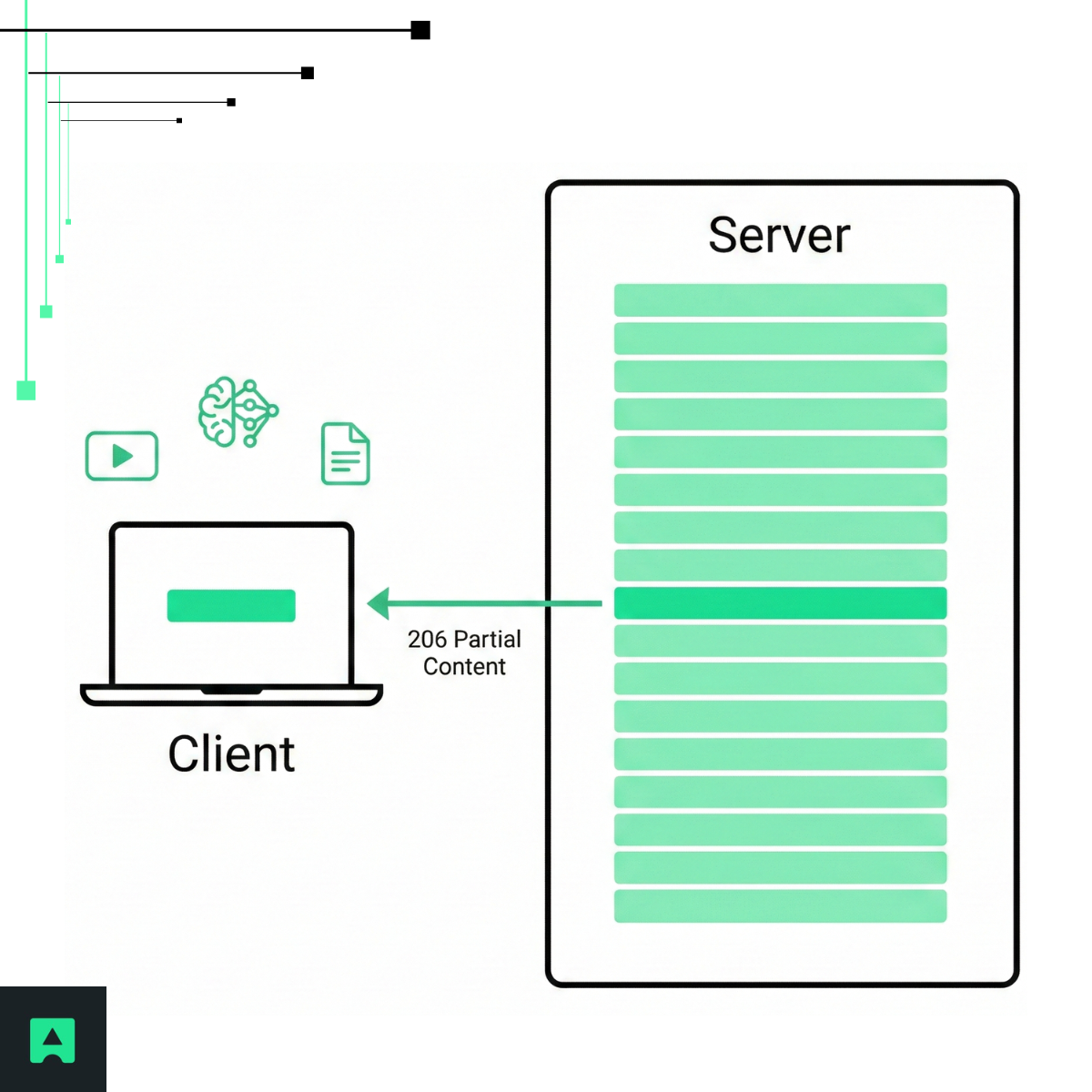
The 206 status code, officially called HTTP 206 Partial Content, indicates that a server successfully fulfilled a request for only part of a resource.
Unlike a full response such as HTTP 200 OK, which returns the entire file, the HTTP 206 response code returns only the specific portion requested by the client.
While this capability was originally used to resume interrupted downloads, in 2026 HTTP 206 has become critical infrastructure for video streaming, AI agents, and Retrieval-Augmented Generation (RAG) pipelines, where efficiency, latency, and bandwidth optimization are essential.
Instead of downloading a complete file, applications can retrieve only the bytes they need — improving performance and reducing costs.
You can explore more in our complete HTTP Status Codes Guide.
How the 206 HTTP Status Code Works: Understanding Range Requests
The 206 HTTP status code works through HTTP Range Requests, which allow a client to request a specific portion of a resource.
The client includes a Range header specifying the desired bytes: Range: bytes=0-1023
If the server supports partial content, it responds with:
HTTP/1.1 206 Partial Content
Content-Range: bytes 0-1023/500000
Accept-Ranges: bytes
This response tells the client:
- The server returned bytes 0 through 1023
- The total file size is 500,000 bytes
- The server supports range requests
If the server does not support ranges, it may ignore the header and return a full 200 OK response instead.
Range Request Header Example in Python
Here is a practical example showing how a developer — or an AI retrieval system — can request only part of a file:
import requests
url = "https://example.com/large-dataset.csv"
headers = {"Range": "bytes=0-99"} # Request first 100 bytes
response = requests.get(url, headers=headers)
if response.status_code == 206:
print("Success! Got partial content.")
print(f"Content-Range: {response.headers.get('Content-Range')}")
elif response.status_code == 200:
print("Server ignored range and sent the full file.")
This technique improves efficiency when working with large datasets, documents, or media files.
Multipart/Byteranges: Requesting Multiple Chunks
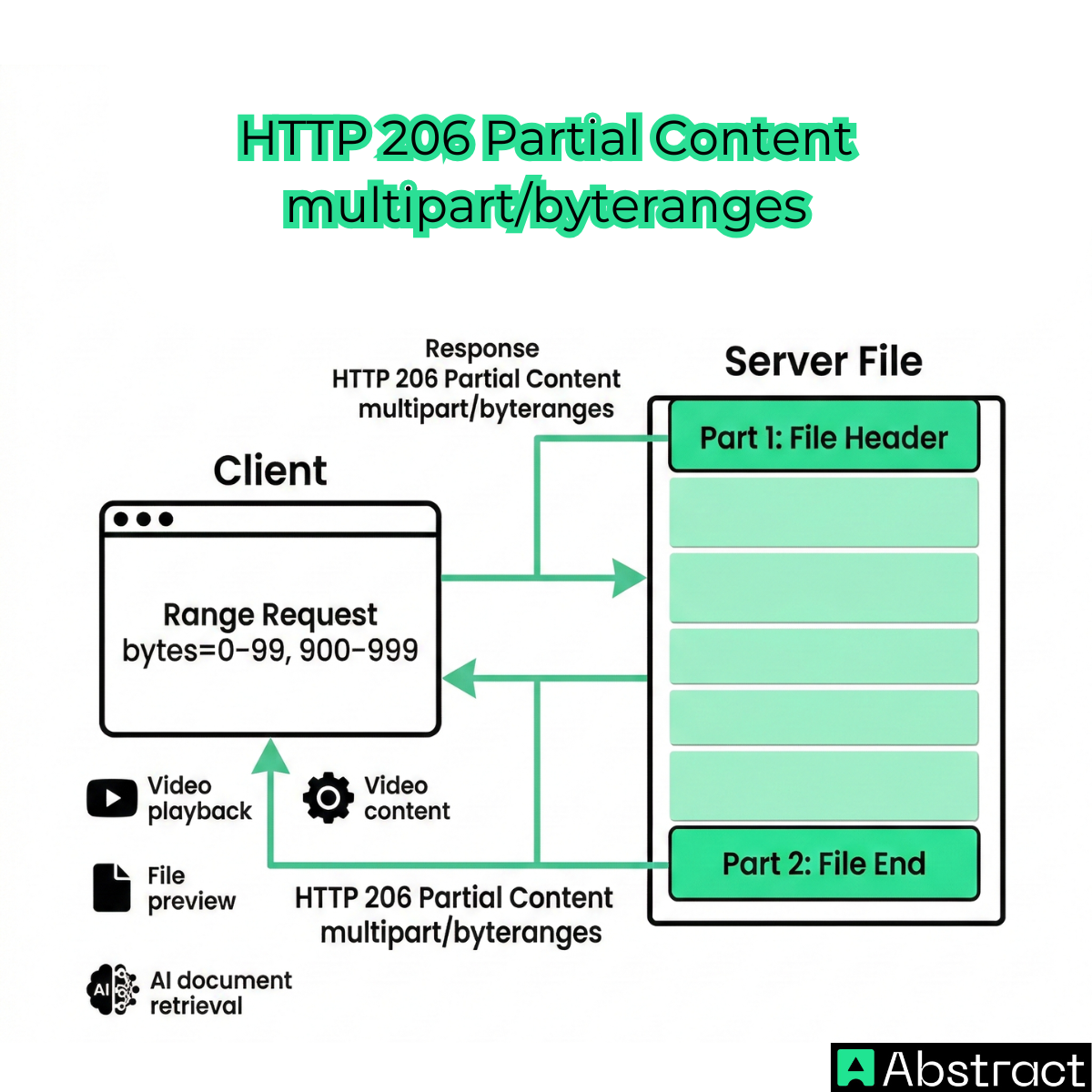
The 206 response code can also return multiple non-contiguous parts of a file in a single response using the multipart/byteranges format.
This allows clients to retrieve:
- File headers and metadata
- The beginning and end of a file
- Multiple relevant sections
Without downloading the entire resource.
This capability is especially useful in:
- Video playback systems
- File preview tools
- AI document retrieval workflows
HTTP 206 vs 200 HTTP Status Code: What's the Difference?
Understanding 206 vs 200 HTTP status code behavior is essential for developers.
| Status Code | Meaning | Behavior |
|---|---|---|
| 200 OK | Full resource returned | Entire file downloaded |
| 206 Partial Content | Partial resource returned | Only requested bytes sent |
In summary:
- 200 OK: Complete file delivery
- 206 Partial Content: Efficient, targeted delivery
Both responses are successful, but they serve different performance needs.
HTTP 206 and Video Streaming
The HTTP 206 status code is the foundation of modern video streaming.
When you watch a video on platforms like YouTube or Netflix, your player does not download the entire file at once.
Instead, it sends Range Requests based on playback position.
For example: Range: bytes=5000000-7000000
The server responds with: 206 Partial Content
Sending only that segment.
This enables:
- Smooth playback
- Fast seeking
- Efficient buffering
- Reduced bandwidth consumption
Without HTTP 206 Partial Content, streaming platforms would be slower and significantly less efficient.
CTA: Simplify Partial Content Retrieval with AbstractAPI
If you're building a video platform, AI tool, or data pipeline that needs to access large files efficiently, handling range requests and partial responses manually can add complexity.
AbstractAPI's Web Scraping API helps developers:
- Retrieve structured data from large resources
- Handle HTTP headers automatically
- Efficiently access partial content
- Support scalable AI and automation workflows
This simplifies development while improving performance and reliability.
HTTP 206 and AI Agents: Powering RAG Pipelines and Efficient Retrieval
One of the most important modern uses of the HTTP 206 response code is in AI retrieval systems, particularly Retrieval-Augmented Generation (RAG).
AI systems frequently access massive files stored in:
- Cloud object storage
- Document repositories
- Research databases
When these resources are available over HTTP, AI agents and retrieval systems can use Range Requests to fetch only relevant sections of a document, instead of downloading the entire file.
Example: Range: bytes=5000-10000
Response: 206 Partial Content
This allows the system to process only the relevant portion.
This approach improves:
- Response speed
- Bandwidth efficiency
- Infrastructure scalability
- Processing efficiency
HTTP 206 plays a critical role in enabling efficient large-scale AI retrieval workflows.
Partial Content Download Resume
The 206 response code also enables download resume functionality, one of its original use cases.
If a download is interrupted, the client can request the remaining bytes: Range: bytes=500000-
The server responds: 206 Partial Content
Allowing the download to resume instead of restarting.
This is widely used by:
- Web browsers
- Download managers
- Cloud storage platforms
HTTP 416 Range Not Satisfiable
If a client requests an invalid byte range, the server returns HTTP 416 Range Not Satisfiable.
Example:
File size: 400 bytes
Request: Range: bytes=500-1000
Response: 416 Range Not Satisfiable
This ensures clients cannot request data outside the resource boundaries.
When Should Developers Use HTTP 206 Partial Content?
Developers encounter the 206 status code when building systems that require efficient access to large resources.
Common scenarios include:
- Video streaming platforms
- AI retrieval and RAG pipelines
- File hosting systems
- Large dataset delivery
- Web scraping and automation
HTTP 206 enables scalable, high-performance applications.
Conclusion: Why HTTP 206 Is Critical Infrastructure in 2026
The HTTP 206 Partial Content status code has evolved from a simple download-resume feature into critical infrastructure for modern web applications.
It enables:
- Efficient video streaming
- Scalable AI retrieval systems
- Optimized file access
- Reduced bandwidth consumption
- Faster and more responsive applications
Understanding how the 206 response code works helps developers build more efficient, scalable, and modern systems.
Frequently Asked Questions
What does HTTP 206 mean?
HTTP 206 Partial Content means the server is delivering only a portion of the requested resource, because the client asked for a specific byte range rather than the full file. The client signals this intent by including a Range header in its request. Unlike a 200 OK response, which returns the entire resource, a 206 response returns only the bytes the client specified.
When does a server return a 206 status code?
A server returns 206 when a client sends a request with a Range header, such as Range: bytes=0-1023, and the server supports range requests. The response includes a Content-Range header indicating which bytes were returned and the total file size. If the server does not support range requests, it typically ignores the Range header and returns a full 200 OK response instead.
What is the difference between HTTP 206 and 200?
A 200 OK response means the server returned the entire requested resource, while a 206 Partial Content response means only a specific portion was returned. Clients that want only a segment of a file — for example, to stream a particular video timestamp or resume a broken download — use a Range header to trigger a 206 response and avoid re-downloading content they already have.
What are common use cases for HTTP 206?
The most common use cases are video streaming, resumable file downloads, and large dataset access. Streaming platforms send only the video segments a viewer currently needs, enabling smooth playback without buffering the full file. Interrupted downloads can resume from the last received byte by including a Range header that starts where the previous transfer left off.
Can a 206 response return multiple byte ranges at once?
Yes. When a client requests several non-contiguous byte ranges in a single request, the server can respond with a multipart byteranges response. In this case, the Content-Type is set to multipart/byteranges, and each part of the response body includes its own Content-Range and Content-Type headers describing the specific bytes it covers.
What is the difference between HTTP 206 and HTTP 416?
HTTP 206 is returned when the server successfully fulfills a range request and delivers the requested bytes. HTTP 416 Range Not Satisfiable is returned when the client requests a byte range that falls outside the boundaries of the resource — for example, requesting bytes 500–1000 from a file that is only 400 bytes long. In short, 206 signals success and 416 signals that the requested range was invalid.
